

Category Archives: Tech Tools

Nonprofits, don’t cede creativity or curiosity or customer relations to AI, & keep your use of AI ethical

HAL from 2001 a space odyssey

I’ve been writing about how computer and Internet technologies can, and do, affect the work of nonprofits, NGOs, government agencies and other mission-based programs (as opposed to for-profit businesses) since the 1990s. I’ve been mostly a cheerleader for such, but also have tried to be realistic and to highlight cautions. So you shouldn’t be surprised that I have thoughts about AI and how it will, and is, affecting that work and those we serve.

I’ve warned about relying too much on the choices of Canva when creating designs. I’ve warned about ceding too much of your client interactions to AI. I’ve warned about how AI can have disastrous results when rewriting something.

And then there is the creative laziness AI seems to encourage. In an earlier blog I warned nonprofits to be careful using Canva, since their graphics are starting to all look the same. Here’s a new story about why reliance on Canva and similar AI graphic programs can be a bad choice: months ago, I had a volunteer from a high school who was supposed to create social media graphics in association with various holidays for a nonprofit I worked for. He turned in designs that were obviously the first template choice offered by Canva, with just our nonprofit logo and a date inserted somewhere – no other alterations at all. He supposedly had taken a marketing class that included learning graphic design basics, but seemed flummoxed when I talked about the need for color contrast, easy-to-read fonts, and the importance of ads being readable without someone having to have glasses. And don’t even get me started on Canva’s profound lack of diversity among its human images in terms of ethnicities, body types and ages. I ended up having to alter all of his work – spending more time on the task, not less.

Using AI-powered chatbots for schoolwork is undermining opportunities for young people to learn skills such as analyzing text, elaborating syntheses and writing coherent narratives. The writing process stimulates thinking, scrutinizing and self-improvement, tasks that all people should learn. But when it is
outsourced to AI, people not only don’t have that stimulation or mental improvement, the reduction in cognitive effort can reduce memory retention and diminish learning and cognitive abilities (cited in the Human Development Report on page 73 and in Blanchflower, D. G., Bryson, A., and Xu, X. 2024, “The Declining Mental Health of the Young and the Global Disappearance of the Hump Shape in Age in Unhappiness.” Working Paper 32337, National Bureau of Economic Research, Cambridge, MA).

I’m working with someone right now who uses AI to write all of his emails and reports. These never provide me with the information I need – information I always got when his predecessor wrote the reports and emails herself (and in MUCH shorter form). For some reason, AI always deletes out the essential info I need for marketing efforts.

AI is determining what we see online, and hiding what someone or a company has decided they do not want us to see. Content is being curated, sorted and ranked by machine learning based on the desires of one person or a company, often with users not having any idea that this is happening. I’m using two and three different search engines whenever I do research, because the results are always so different.

AI-written text is showing up with hallucinated facts across the Internet landscape and creeping into the people and government’s decision-making. And if AI is leveraged to degrade human rights or coerce people to believe a lie or harm others, it’s NOT an ally. It’s easy to find examples of this all over the Internet.

I blogged what I feel are highlights from the 2025 Human Development Report from UNDP – the theme is artificial intelligence. It’s worth noting that I do highlight positives regarding AI – because there are positives.

We live in a world where trust and credibility is more important than ever before. We’re going to lose more of that if we keep ceding creativity, curiosity and human interactions to AI.

There are a lot of companies who are now telling their employees that they are not allowed to suggest the creation of any new positions – paid staff or consultants – unless they can prove AI could not do most of that job. That means the elimination of graphic design positions, receptionists, data analysts, social media managers, consultants brought on to create and design special products (annual reports, specific marketing campaigns) and managers of volunteer programs who spend most of their time reviewing applications and screening new volunteers. Yes, AI can do all of those jobs – but not well, and not to the standards nonprofits need. As more and more people are using AI to both summarize texts and write emails and reports as well as reading those texts and emails and reports, humans are less and less involved – thereby missing trends, insights and potential challenges, while clients and customers become more and more frustrated trying to get answers to questions and help to solve problems.

A way to counter this AI use demand by management: be able to say, right now, how you are leveraging AI in your work. Show that you are already using it to save money, such as grammar correction programs, graphic design programs, donor data analysis, volunteer data analysis, translating and news alerts regarding certain topics. But then also show why you hold on to certain tasks, like interacting with clients in real-time, because cultivating and sustaining trust with various stakeholders.

What I find fascinating in this push for nonprofits to use AI is that a much better strategy is to push nonprofits to engage more volunteers, thereby doing what AI cannot: engage with the community more, cultivate more supporters, and build more awareness and understanding about the nonprofit and the cause it addresses.

One last thing: if you use AI in any communications, DECLARE IT. If you write an email to someone and you used AI to create that email, declare it. Declare in any online or offline publication if the material was created or authored, primarily, by AI. If you publish a blog that has content that was, even in part, created by AI, say so. “Some of the content of this article was created using AI.” Affirm if an article or blog is written by a human: give credit to the person or people responsible for such, by name.

If your nonprofit has a chatbot for clients, be clear that the chatbot is not a human, that it’s AI. Many people do NOT understand that a box with a human image that says, “Hi, how can I help you?” is not a human.

I have an affirmation on my web site that my web site is created & managed by a human. Consider doing the same on your own web site (but only if it’s true).

Also see

Artificial Intelligence – friend or foe for nonprofits?

schedule social media posts? use with caution

No app can substitute for actually talking with people

If you have benefited from this blog or other parts of my web site and would like to support the time that went into researching information, developing material, preparing articles, updating pages, etc. (I receive no funding for this work), here is how you can help. 
My highlights from the 2025 Human Development Report from UNDP (the theme is artificial intelligence).

images meant to look like cave drawings, one of a woman using a smartphone and one at a desktop computer.

The theme of the 2025 Human Development Report from the United Nations Development Programme (UNDP) is artificial intelligence. The title: A matter of choice: People and possibilities in the age of AI.

Here are my thoughts (yes, I read the whole report. I’m exhausted.).

I would have liked more examples of things it says are going to work, things that are going to be good for people, especially in poor countries, or things that already have had problems (like when it says “Technological change can reinforce, amplify and reconfigure inequalities, potentially exacerbating discrimination or generating new forms of it” but then doesn’t offer examples – and the examples, which I have been tracking, are horrific).

It cheerily says things like

AI presents multiple opportunities for augmenting what people are already doing at work. It can help workers complete tasks faster and at higher quality, boost their creativity and speed up learning processes… on page 167. But then doesn’t provide examples of this. It should be PACKED with examples of what it says works oh-so-well.

And this should have opened the report – but it’s buried on pages 139 and 140:

We live in a novel social reality where algorithms (many of them AI-based) mediate many of our social relations and shape much of our engagement with the world. Whether through social media, search engines, online shopping or digital communication tools, algorithmic intermediaries are reshaping the landscape of human-to-human interactions, defining the context and boundaries within which people engage.

They could have thrown in what we watch: I would say 70% of the people in my life make the choices on what to watch based on what an algorithm tells them to on a streaming service.

Lots more of these observations, way too buried in the report:

As the amount of information available in our increasingly digital world continues to expand, recommender algorithms channel our attention, seeking what is relevant to each person. A core challenge of leveraging the internet for human development is that the information people use to promote their own agency and improve their capabilities far exceeds what anyone can reasonably consume. To overcome this limitation, algorithmic tools to search and filter information have come to define the modern internet. From early web searches and later social media feeds to modern chatbots, our experience of the internet is filtered through some form of algorithm, often AI-based recommender systems. From page 141.

By shaping power relations between the people they mediate, algorithmic intermediaries enable some users to exert influence over others, affecting their prospects and choices. Moreover, as a result of numerous, repetitive social interactions, recommender systems are reconfiguring societal structures, including social norms, institutions and culture—reshaping political discourse and deliberation. From page 143.

I didn’t like how buried these observations are, coming after about 100 pages of AI IS AMAZING!!! narrative.

But overall, the report is a worthwhile read and I do like it.

My favorite part is Part 4: Framing narratives to reimagine AI to advance human development. It’s focused people with disabilities and elderly people with regard to AI and tech innovations. It’s realistic and it busts a LOT of hype. It calls out tech bros for telling people with disabilities what they need in AI and other tech innovations without asking first, and for thinking all elderly people are old, frail and about to fall at any given moment.

As usual, it has to have reminders that should be obvious, like:

gender inequalities in the design and use of AI result not from women’s lower technological aptitude, interest or skills. Rather, they arise from discriminatory social norms that construct technology as masculine and devalue women’s expertise, knowledge and contributions. Therefore, closing gender gaps, perhaps by increasing access to technology and digital skills training—crucial as they are—may not be enough. The focus needs to be on expanding women’s agency to not just benefit equally from technological change but to shape technological developments that reflect and actively promote equity and social change. (page 117)

and

Transformative social change can take place when innovations in AI are designed by a diverse group of developers, including women and people from other marginalized and intersecting identities; when those innovations recognize and address social norms and imbalances; and when they are backed by changes in policies and institutions. (pages 118 – 119)

and

AI reflects the biases and stereotypes in the data on which it is trained.

And the data is sexist and racist -let’s be clear, that IS the reality. An article from UN Women, How AI reinforces gender bias—and what we can do about it, says more.

I liked this caution, and wish it had come much earlier:

When human involvement in work is diminished, it can lead to moral disengagement, where individuals become detached from the ethical and behavioural norms that usually guide their actions. When people feel disconnected, their sense of accountability may diminish, increasing the risk of errors and safety issues—especially in highly automated settings. Algorithmic management systems, designed to improve efficiency through monitoring and automation of work allocation, may instead increase errors and disrupt entire workflows if they push workers to engage in multitasking and to oversee simultaneous workflows at ever higher speed. Similarly, digital surveillance in the workplace— including email monitoring, keystroke tracking and social media scrutiny—can create considerable psychological stress for employees. While these practices aim to enhance productivity and data security, they also contribute to workplace anxiety. Employees can feel a loss of freedom and trust when subjected to excessive surveillance, reducing their motivation and job satisfaction. From pages 171 and 172

the allure of AI has created an image of almost completely autonomous systems, nearly free from human intervention beyond the brilliant programmers who developed them.89 In reality, AI depends heavily on human workers in every step of the supply chain. Lower-value-added activities, such as data labelling and annotation, are often concentrated in low- and middle-income countries, requiring intensive human labour but offering limited rewards. In contrast, higher-value-added tasks, such as AI model design and deployment, are confined largely to high-income countries, demanding specialized knowledge and infrastructure.90 The reliance on human labour across the AI supply chain highlights the need to examine who contributes to AI systems, under what conditions and how the value they create is distributed… A complementarity economy recognizes and values workers at every stage of the supply chain, towards ensuring meaningful opportunities, fair compensation and decent working conditions. The future of work in the age of AI should be one of genuine collaboration between humans and machines—not one built on a hidden global workforce facing decent work deficits. From page 172.

Pretty clear that NO ONE from DOGE has read any of the extensive research material cited in this report – and won’t read this report either. Nothing being done at the federal level by them follows any recommended or human-focused practice whatsoever.

Note: The United Nations Educational, Scientific and Cultural Organization’s Recommendation on the Ethics of Artificial Intelligence, adopted in November 2021, provides a global policy framework for guiding AI use to uphold human rights and dignity and ensuring that AI benefits societies at large. Updated in 2024, the OECD AI Principles are another set of intergovernmental standards on AI, with 47 adherent countries, providing a basis for developing AI that respects human rights and democratic values.

All that said: please don’t comment unless you have actually read the report.

If you have benefited from this blog or other parts of my web site and would like to support the time that went into researching information, developing material, preparing articles, updating pages, etc. (I receive no funding for this work), here is how you can help. 

Horrific experience with AI: a warning for others

This is something that happened personally, not in the course of working with a nonprofit, but it absolutely can affect nonprofit communications.

My sister and I have worked meticulously on the obituary for my mother, who passed away last month. We were very careful regarding every word we chose, every turn of phrase, the order info was presented, etc. At the funeral home later, we were asked to view the obit one more time before it went live on their server and would be printed for the funeral.

The obituary we saw had been completely rewritten. The rewrite not only used language we would never use, it was riddled with incorrect information, and the entire narrative had been reorganized in such a way that many parts no longer made sense.

After a great deal of confusion and denials by all parties, we realized that when my sister had written the obit on her iPhone, in the phone’s notes function, and just before she sent the version we had worked so hard on, she had had to put the phone in her pocket, and the window had still been open. She pulled the phone out later and hit “send” – but at some point, the visible button to “rewrite” was accidentally pushed while it was in her pocket. I saw the screen for myself – there’s the AI rewrite button, right there on the screen that was visible when she put the phone in her pocket, along with the poorly-rewritten obit.

The horror we would have experienced seeing this inaccurate obituary at the funeral… I can’t imagine.

But in a nonprofit context, imagine getting a grant rejected because of something AI had put into your grant proposal. Imagine people responding to a social media post negatively – because AI rephrased something and made it no longer accurate, or used language that just doesn’t at all sound like you. And imagine you had NO Idea AI had rewritten the text!

Be sure to save documents into a format or program that AI cannot change before sending it on to its destination. And if you use AI to “improve” a narrative, read over the result oh-so-carefully. Meticulously.

Be careful using Canva – nonprofit graphics are starting to all look the same!

three cartoon people are jumping

I had never used Canva before August 2022. I’m not much of a graphic designer and would never be hired for such, but since I work mostly for nonprofits, I also usually don’t have a budget for a professional graphic designer, so I have to make due on my own. But my primary employer these days has an account with Canva and I’ve been able to use it.

Canva is really amazing and I use it often. BUT, I am also noticing something: a lot of graphics on social media produced by nonprofits and independent bloggers is starting to look the same. The drawn human images on Canva look very similar in style. And I live in a small community and I’ve seen one particular Canva design used by three different nonprofits for their galas – same image and colors.

Here are some tips for making your products produced via Canva unique:

  • Never use a template without a LOT of alteration. Add or change the graphics, change colors, change fonts, etc. Otherwise you risk having an image that looks almost exactly like someone else’s.
  • Never use photos from Canva. Use your own photos. Make sure your volunteers and staff have all signed photo releases, and use photos of them. Same for clients: make sure you have photo releases and, of course, that using their photos publicly is allowed.
  • Alter any ready-made images in your own designs. Flip some horizontally. Change the clothes colors for what the people in the drawings are wearing, for instance. Change skin tones. Change hair colors. If you can’t do this in Canva, use whatever graphic design software that came free on your computer to do it.
  • Follow nonprofits in your area on social media and read their posts regularly. This can help you avoid using similar designs.
  • Canva images tend to not be as diverse as you might need. It can be hard to find a family image with diverse members, for instance, or a family that might better represent a Latino family, a black family, a family where the mother is wearing a hijab or chunni, a family where the men are wearing a dastaar, etc. Or to find a classroom drawing with a diversity among students. I sometimes search for images representing a cultural group specifically so I can make sure my imagery of a family scene, a crowd scene, a classroom, etc. better reflects the community served by the local nonprofit I work for.
  • Standards in graphic design still apply when using Canva: you need to have excellent color contrast for text versus the text background, you need to have an overarching word, phrase or image, one that is bigger than everything else so that it draws in the viewer, you need to think about how you want someone’s eye to move across the graphic, the image should be easily and immediately understood, you need to make sure the graphic has all of the information needed or will be accompanied by the text of all that is needed, etc.

I’m not at all saying don’t use Canva. But don’t get complacent and confuse ease of use with good practice.

July 21, 2025 Edit: From Chealsee KalivasChealsee Kalivas on LinkedIn:

Hot take that I will stand by until the end of my career:

If your job listing has Canva as the only, or one of two, design software requirements, you do not want a true professional. You want free, fast, and cheap. And you know what you get when you order free, fast, and cheap? Sub par quality work.

And stop with the requirements of 2-5+ years experience for Canva. As a technically trained designer, I learned Canva in about 30 minutes. It is a great tool, but should NOT be the only design software you list.

Canva is an entry level software. Stop saying they need 5+ years.

Respectfully,
Professional Designers

If you have benefited from this blog or other parts of my web site and would like to support the time that went into researching information, developing material, preparing articles, updating pages, etc. (I receive no funding for this work), here is how you can help. 

a simplistic drawing of a wizard

Quick tip for your nonprofit if it uses Google Workspaces (formerly Google Drive)

At the small Habitat for Humanity affiliate where I work, someone long before me set up a Google account at the organization just for photos – photos@OURNAME…. It was SUCH a smart thing to do and I wish I could thank the person! It makes it so easy to tell employees, board members, volunteers and ReStore customers where to send the photos they take, and it’s easy to save those photos from the gmail account to the Google photos space.

That same person also set up a Google account just for volunteer management – volunteers@…. and we use the email not only to give out to anyone that wants to volunteer, but also, we can use (and share) the associated Google calendar to show all staff when there are volunteer events.

Now if I could just get all staff to log into YouTube and subscribe to our agency YouTube channel and “like” each of our videos, so we could increase the number of people who saw them!

If you have benefited from this blog or other parts of my web site and would like to support the time that went into researching information, developing material, preparing articles, updating pages, etc. (I receive no funding for this work), here is how you can help.
Web Sites Still Matter

For the last decade – maybe the last 15 years – the web site home pages of nonprofits, corporations, even news outlets, were rarely the focus of most people’s regular attention; these organizations’ outlets relied on social media to distribute their information. Users read the information they wanted because they subscribed or followed or “liked” the entities or messaging they wanted to stay up-to-date about, and got more recommendations through algorithmically personalized recommendations. As The New Yorker put it:

News articles circulated as individual URLs, floating in the ether of social-media feeds, divorced from their original publishers. With rare exceptions, home pages were reduced to the role of brand billboards; you might check them out in passing, but they weren’t where the action lay.

But Twitter, now X, has imploded and is bleeding users. Facebook is overrun with ads and push marketing, burying the pages and accounts a user wants to see under a mountain of paid messaging. Social media infrastructure is crumbling, having become both ineffective for publishers and alienating for users. Social networks are overwhelmed by misinformation and content generated by artificial intelligence. 

Again, back to The New Yorker article:

Surrounded by dreck, the digital citizen is discovering that the best way to find what she used to get from social platforms is to type a URL into a browser bar and visit an individual site. Many of those sites, meanwhile, have worked hard to make themselves feel a bit more like social media, with constant updates, grabby visual stimuli, and a sense of social interaction. 

Things aren’t all good for the World Wide Web, as this article from The Atlantic notes:

Large language models, or LLMs, are trained on massive troves of material—nearly the entire internet in some cases. They digest these data into an immeasurably complex network of probabilities, which enables them to synthesize seemingly new and intelligently created material; to write code, summarize documents, and answer direct questions in ways that can appear human…. Just as there is an entire industry of scammy SEO-optimized websites trying to entice search engines to recommend them so you click on them, there will be a similar industry of AI-written, LLMO-optimized sites. And as audiences dwindle, those sites will drive good writing out of the market.

Another article in The Atlantic says that domain names (but not web sites) are no longer essential.

I believe that web sites still matter. I believe domain names still matter, because so many people, and so many organizations, and so many cities and regions, have these same name, so search engine results aren’t always all you need.

Back in 2012, I wrote a blog called Why Your Organization Probably Doesn’t Need A Facebook Page. I added in 2017 that I still believe 90% of what was proposed in that blog, and reading it now, I still believe that. That doesn’t mean you should NOT have a Facebook page, but you should think very seriously what you want it to do. For the Habitat for Humanity ReStore I support, Facebook outreach has been fundamental to sales; take it away, and I think sales would drop at least 25%, maybe more. But I also work for a nonprofit that is much larger, that is focused on technology and nonprofits, and if their Facebook page disappeared tomorrow, no one would notice.

Your organization, your program, your city – it needs a permanent home on the web, a place that all your other online activities point back to, the place that’s there when the latest social media trendy platform fades. When I join an organization, it’s so easy to become well-versed in what that organization does if they have a web site: I not only read that, I go back on archive.org and read past versions of their web sites. I find out if the ReStore is traditionally closed on a particular holiday. I find photos from past events featuring a former board member who I have learned has died and I need to create a tribute. I double -heck the dates of an event I will attend. A web site is also for your employees and volunteers, not just potential new supporters.

I have an entire section on my web site about nonprofit web sites: what should be on a nonprofit’s web site and how that web site should be designed and managed. I started it back in the 1990s and have updated it regularly. There was a time in the early part of this century when I thought maybe it was time to take the section down, that web sites weren’t needed anymore. I’m so glad I didn’t – the material is needed as much now as it has ever been.

Also see:

If you have benefited from this blog, my other blogs, or other parts of my web site and would like to support the time that went into researching information, developing material, preparing articles, updating pages, etc. (I receive no funding for this work), here is how you can help. 
Cartoonish images that show people helping people, and the images are on cartoon images of a computer and tablet

A new online community: Tech4Causes

SEPTEMBER 2026 UPDATE: I am now the main moderator of Tech4Good on Reddit, and am encouraging all those who joined Tech4Causes to join the Tech4Good subreddit. Tech4Causes is now officially closed.

Since the early 1990s, I have been researching and discussing how information communications technologies (ICTs) help nonprofits and cause-based initiatives do their work. I was intensely involved the early days of the USENET group soc.org.nonprofit and I had one of the first web sites focused on the subject (and my web site still has a section focused on this topic).

Online communities that have focused on this and related subject have come and gone over the years, and one that I’ve used for years has recently started to sunset. As that last online community winds down, I no longer have an outlet for my “ICT for good” discussions.

So I decided to start a group on Reddit (such groups are called subreddits) called Tech4Causes so that others interested in this subject can participate. I debated a lot about the name, and decided that one would be best (and also because Tech4Good was already taken as a subreddit, and focused on something else).

The Tech4Causes subreddit is a place to discuss examples resources and ideas for applying apps and online tools to activities supporting causes that help humans and the environment. It’s a place to discuss hackathons / hacks4good, apps4good, community tech centers, ICT4D, ethics regarding such, etc. It’s a place to discuss how a nonprofit, NGO or community program YOU work or volunteer with leveraging ICT to do its work.

Tech4Causes is to discuss specific scenarios, like how Information ICTs can help and have helped prevent or mitigate problems arising from disasters – fire, earthquake, floods, storms or other severe weather, catastrophic power or structural failures, or violent conflict. Or how can or has ICT improved food stability in a community, or helped domestic violence victims, or facilitated pet adoptions and reduced shelter populations, or helped seniors be more mentally active, or helped young people participate in community arts projects?

It’s also to discuss how ICTs have helped support and engage volunteers supporting a cause and what policies a nonprofit, NGO or government community project needs to leverage ICTs as a part of its program or administration. I’d like for people to also talk about what ethical issues might need to be addressed in using tech for good. Examples of artificial intelligence being a force for good and a negative influence on the work of nonprofits, NGOs, community projects and community, arts, environmental or other causes are welcomed.

I’m the founder of the group and, right now, the sole moderator, but I’d like to have a lot more moderators as the months past. I have no desire to make this all mine; I would like to have shared ownership of the group with others. I’ll be identifying new moderators based on who consistently posts quality content.

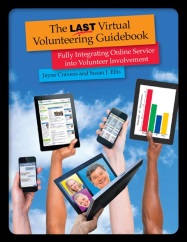
cover of Virtual Volunteering book with hands raising up various Internet connected devices

The most in-depth exploration I’ve ever done regarding “Tech4Good” is The Last Virtual Volunteering Guidebook, which I co-wrote with Susan Ellis. It has the most comprehensive and detailed guidance regarding using the Internet to engage and support volunteers (and some sci fi references, per the authors both being geek girls). It’s for organizations that want to get started with virtual volunteering or to expand a program they already have, as well as those researching virtual volunteering. The Last Virtual Volunteering Guidebook is based on many years of experience, from a variety of organizations. It’s like having me do an in-depth analysis of your program, or me helping you set up your own program, but without having to pay my hourly rate as a consultant. It’s also better than any AI. It’s available both as a traditional print publication and as a digital book.

Also see

Reddit4Good: subreddits focused on some aspect of volunteerism, community service or philanthropy

The Nonprofit & NGO Guide to Using Reddit

Your nonprofit or government program should check out Reddit

Why aren’t you reaching out to young people via Reddit?

Reddit controversy is a lesson in working with volunteers

Social media is losing its influence for nonprofits – what to do?

Should you leave Twitter & Facebook for the fediverse?

a hand is receiving money

If you have benefited from this blog or other parts of my web site or my YouTube videos and would like to support the time that went into researching information, developing material, preparing articles, updating pages, etc. (I receive no funding for this work), here is how you can help.
Are you using your own smartphone or other devices in your work or volunteering activities? Is your employer aware?

images meant to look like cave drawings, one of a woman using a smartphone and one at a desktop computer.

Do you use your own, personal smartphone in your work activities for your employer? Does your company reimburse you for this? Does your company have a policy in writing about this use? Are you facing any challenges in using your own tech resources for your work, tech that you pay for and maintain yourself and use for your personal life as well?

I started a thread on the TechSoup forum a while back about this and a lot of folks have some strong feelings about this issue. There are also some companies that reimburse staff for use of their own personal devices.

What about your company? And for nonprofit organizations – do you realize what the cost is for your staff and volunteers when you require them to use their smartphones and other personal devices in their work for you? Had you even thought about it before?

You can weight in on the comments below, but please also weigh in on the original TechSoup forum.

a hand is receiving money

If you have benefited from this blog or other parts of my web site or my YouTube videos and would like to support the time that went into researching information, developing material, preparing articles, updating pages, etc. (I receive no funding for this work), here is how you can help.
Why you need to focus on your own media literacy – & a New Year’s Resolution idea

images meant to look like cave drawings, one of a woman using a smartphone and one at a desktop computer.

We all have an obligation to increase our media literacy – every one of us. And I think every human resources office at every company, nonprofit, school, whatever, should consider it a mandate to educate staff regularly regarding media literacy.

The Center for Media Literacy (CML) defines media literacy as “a framework to access, analyze, evaluate, create and participate with messages in a variety of forms — from print to video to the Internet.” CML also notes that media literacy builds an understanding of the role of media in society as well as essential skills of inquiry and self-expression necessary for citizens of a democracy.

CML defines media literacy as the ability to:

  • Decode media messages (including the systems in which they exist);
  • Assess the influence of those messages on thoughts, feelings, and behaviors; and
  • Create media thoughtfully and conscientiously.

The ability to navigate within our complex and ever-changing media landscape depends on acquiring skills and tools to know how to consume and evaluate information, ask critical questions, avoid manipulation, and engage in digital spaces safely and confidently.

We already see the negative impact that media can have – is having – on people, including children. CML says that the negative impacts on children:

  • Online safety
  • Cyberbullying
  • Low self-esteem
  • Depression and suicide
  • Substance abuse and other risky behaviors
  • Negative body image
  • Reinforcement of stereotypes

They also note “incorrect information”, but this is also a big danger for adults as well, which can lead to violence, to economic instability, to poor, even deadly health choices, and to ill-informed political decisions that end up harming entire communities and countries.

CML’s resource library is primarily focused on young people, and the resources are excellent, but there’s also a huge need for better media literacy among adults – and not just the elderly. CML’s materials can certainly be adapted for adult audiences, and there are other resources as well, such as AARP’s Fraud Network Watch and the American Library Association (ALA)’s Media Literacy in the Library: A Guide for Library Practitioners (PDF) that offers resources and ideas to plan programs and activities to teach media literacy skills to adults. The latter is a resource for library staff, but anyone can use it.

Please understand: I have been online since 1994 or so. I have been advocating for people to leverage online tools and networks for decades. I don’t think the Internet has caused misinformation, bullying, depression, etc., but it has amplified misinformation to an astounding degree. Our online networked world has magnified or intensified messages and disinformation, vastly increasing the reach of such on a scale never, ever seen before. The way to meet this challenge is not to ban the Internet or online tools; it’s to raise all of our levels of online literacy.

I challenge you to accept that you – yes, YOU – have believed misinformation online. Every person has. Look for how you have: did you share a meme or story that turned out not to be true? Did you “like” a video that turned out not to be what you thought it represented? Whatever it was, you need to recognize when you do it, acknowledge it, and learn from it. And if you don’t believe that you have believed misinformation online, then you absolutely are in denial.

I also challenge you to make a commitment to be more positive online in 2024. Take time to just go through your social media and”like” the posts that are positive from friends and family – and even better, to comment on them. Go through your social media feed once a week and “like” posts from nonprofits and community programs you care about – and, even better, comment on them. Post photos to social media that you have taken yourself to social media of beautiful or fun or heart-warming things. Post about an event you have attended, or that you will attend: a farmer’s market, a yard sale, a high school band concert, whatever. Post about a class you’re taking, a book you are reading, a TV show or movie you recently enjoyed, music you love. You can still post political commentary, still post rants, but I’m challenging you to make a deliberate effort to balance that, to even OVER balance that, with something positive, something helpful or something civic-minded. Post about ANYTHING you are grateful for: your dog, your cat, the weather, a new season of your favorite show, whatever.

Here’s more about the damage of online misinformation.

If you have benefited from this blog, my other blogs, or other parts of my web site and would like to support the time that went into researching information, developing material, preparing articles, updating pages, etc. (I receive no funding for this work), here is how you can help. 

free/discounted apps/tech tools that every nonprofit should know about

images meant to look like cave drawings, one of a woman using a smartphone and one at a desktop computer.

I use to regularly write about this subject – about what I thought were the best free/discounted apps/tech tools that most nonprofits should know about, especially the small ones, the ones under 20 people who barely had tech budgets. But honestly, I can barely keep up with things, plus, there’s such a need for highly-specialized software by specific type of nonprofits. Just take a gander into the various software used by nonprofits that run food banks, or what’s used by animal shelters, or what’s used by museums, and you will see what I mean.

But there was a recent thread on the nonprofit subreddit and I found myself wanting to join in. Here is how I answer the question:

  • Google Drive (word processing, spread sheets, presentations, forms, calendar, photos, shared work features, etc.)
  • Gmail, including Gmail chat
  • LibreOffice (word processing, spread sheets, presentations – great alternative to Microsoft, and works with Microsoft tools)
  • Cyberduck – for FTP
  • Signal, WhatsApp and Telegram.
  • VolunteerMatch for volunteer recruitment
  • Canva
  • Grammarly
  • WordPress for blogs and websites (many web hosts provide free templates as well)

I’ll also give a shoutout to two tools that have gone away: YahooGroups, which was an AMAZING online collaboration tool that I miss beyond measure, and BlueGriffon, an amazing HTML editor that stopped being updated in 2019 and no longer works on my laptop. I have never found the equal of these wonderful tools.

Have a look at the thread on the nonprofit subreddit and this related thread on TechSoup for more. And add your own on those conversations and in the comments below! But it’s helpful if you don’t just list the software: say what kind of nonprofit uses it, what your role is, the size of your staff (including volunteers), etc.

If you have benefited from this blog, my other blogs, or other parts of my web site and would like to support the time that went into researching information, developing material, preparing articles, updating pages, etc. (I receive no funding for this work), here is how you can help.