Tag Archives: community

Don’t over-invest in one social media channel: Redux (Twitter)

In November 2021, I wrote a blog that warned nonprofits, NGOs, community groups, etc. not to over-invest in one social media tool – specifically Facebook. I wrote that blog because, when Facebook went offline in October of that year for about six hours, many organizations panicked: Facebook was their primary, even only, way of sharing up-to-date information with clients, volunteers and the general public – the organizations had either abandoned their own web sites and weren’t updating such much anymore and they used no other social media tools. That blog was a companion to another I’d written in 2019 exploring whether or not nonprofits should delete their Facebook accounts per Facebook’s reprehensible data mining, selling of data and unfettered spreading of misinformation and hate speech.

With the news that an extremely rich man who spreads medical misinformation, eschews philanthropy and efforts to address poverty and inequity, doesn’t treat his factory workers well, etc., has bought Twitter and will make it a “free speech” zone, removing its current community standards and probably restoring suspended accounts, many are thinking of deleting their personal or company Twitter accounts. And many folks are reeling from losing Twitter as we know it now, because they rely hugely on Twitter to get the word out about their work, to engage with others doing similar work, to network for jobs, etc. I am one of those people: while Facebook has been relatively useless for me professionally, Twitter has helped me sell my book, gotten me consulting gigs, gotten me invitations to speak at conferences and introduced me to so many amazing people I now call professional colleagues. It’s been more helpful to me professionally than any onsite, traditional conference I have ever attended in terms of networking, job leads and professional development. It’s been way more fun than Facebook personally as well: I have loved the social media challenges among museums on Twitter, the spontaneous poetry-writing events, and more very fun trending topics than I can count.

What to do regarding the Twitter dilemma? To stay could be seen as supporting the new owner, something that makes me very uncomfortable – and I’m not alone in that sentiment. And the reality is that, if he follows through on his plans, Twitter just isn’t going to be of value to me anymore.

Here’s what I’m doing in response to the potential changes at Twitter:

  • I acknowledge that, right now, stopping my participation on Twitter would be disastrous for me professionally. While Facebook has been largely useless for me professionally, Twitter has been a hugely important tool, for the reasons I’ve already stated, so I’m going to continue to try to squeeze some benefit from it until the changes come.
  • If Twitter goes in the direction that everyone is predicting – longer messages, adding suspended accounts back onto the platform (accounts that have spread misinformation, harassed people, etc.), not having rules about content, being a complete “free speech” zone, etc. – I’ll have to stop participating. I’m not sure if I will delete my Twitter account or just freeze it (just a last post to say where to find me).
  • Over the last three years, I’ve been investing more time in my YouTube channel and Reddit, as well as following my own advice and making sure my web site is always up-to-date, so that no one social media is my only outlet. I’m active on several LinkedIn groups as well, like the virtual volunteering group (which I own, actually) and ALIVE (a national group for managers of volunteers). You can follow me on LinkedIn (but note that I link only to those that I know professionally, that I could say something about you and your work) and join me on any of those groups. So, I’m already diversified, and will continue to do so, and hope that one of those platforms, at last, proves even half as valuable to me as Twitter has.
  • I’m always exploring other social media platforms. However, so far, the audience I want to reach professionally isn’t on TikTok, SnapChat, Instagram, etc. I’m on Signal, WhatsApp and Telegram, but I use those mostly for one-to-one communications, especially with folks overseas – the one group I’m on, for a nonprofit I volunteer for, is overwhelming and I’m not at all liking it. MeWe has never caught on with my colleagues (but you are welcomed to friend/follow me there).
  • I have a blog, which you are reading now. That blog is on my own web site, not on someone else’s web site. Twitter has been the primary of driver of readers to this blog (I post to Facebook and LinkedIn too, but those bring very little traffic to my blog). I’ll need to look for new ways to drive subscribers. Before you recommend RSS feeds – I would say 90% of the people that are my professional audience have no idea what that is.
  • I’m redoubling efforts to make sure anyone who visits me on any online platform knows where else to find me. This blog is one part of that effort. I’ve put in links to all of my other sites on social media – please subscribe / follow / and like if you are there too.

I’ll be watching what the people that I follow on Twitter do, as well as the people and organizations on each of my many wonderful, informative Twitter lists do, as far as posting about their work other than Twitter. I rely on my Twitter lists more than anything else to know who is doing what in my professional worlds – I have yet to find anything that even comes close to a substitution for that (I’m NOT gonig to subscribe to hundreds of email newsletters!).

What about going back to traditional avenues for networking and outreach: writing one-to-one emails, attending onsite conferences, buying advertising, etc. I don’t have the financial resources to attend onsite conferences, and as I’ve mentioned earlier, attendance has rarely lead to a book sale or a new gig. I don’t have the financial resources to buy advertising – and quite honestly, I can’t figure out Google Ads. As for email, I barely read email I receive – I know that what I send also often doesn’t get read (if it makes it past a spam filter).

Am I disappointed about Twitter? Hugely. If the changes that the new owner has threatened do come to fruition, I am going to lose one of the most effective and easy-to-use outreach tools in my toolbox, and I’m going to lose touch with so many, many people and organizations whose viewpoints and resources I value in my work.

This tweet is very representative of how many of us feel about the potential of losing Twitter as we know it, from Lainey Feingold / @LFLegal:

News about the Twitter sale is hitting me hard. What’s going to happen to #a11y and #DisabilityTwitter communities? Or the committed team at @TwitterA11y? I always say accessibility is global and some of that is because of this platform. Plus @twitter pals and chats Cheer me up!

But I’ve been here before:

  • Back in the early part of the new millennium, when USENET newsgroups started becoming overwhelmed with off-topic advertising messages. Soc.org.nonprofit was an incredibly important outreach tool for me for almost a decade, and ALL of my professional successes since 1994 can be traced back to my participation in that online community. I hated losing it. In some ways, I feel like Twitter was a return to those wonderful, well-connected days.

I’ve been on America Online, MySpace, GooglePlus and GoogleWave – those are all gone, at least in the form I used them. I left each of those because something better came along. I should be used to this situation by now… but I also have to say that, other than YahooGroups, no platform has ever been the powerhouse for my professional work that Twitter has been. And nothing better seems to be coming along.

So, this is yet another cautionary tale about over-relying on a social media platform. While you cannot use everything out there, you absolutely need to use a diversity of outreach tools. And remember: there are people who are going to interact online with your initiative only via Facebook, or only via Twitter, or even only via email. None of those audiences are more important than another for your nonprofit, NGO, etc. Make sure all of your clients, volunteers, donors and others are reminded regularly of all of your various online communications channels, including your online communities – and your web address!

What are you or what is your organization doing about impending changes at Twitter? Please share in the comments below.

May 3 update: A tweet worth sharing:
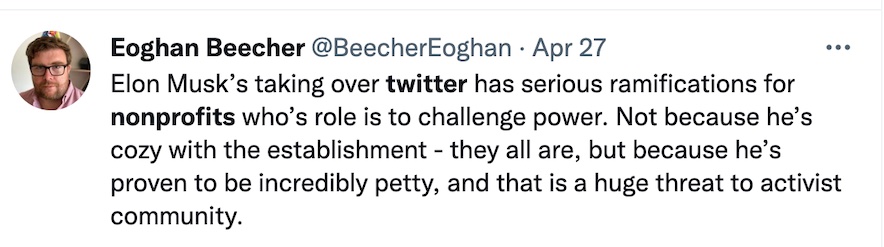
screen capture of a tweet
Tweet from Eoghan Beecher: Elon Musk’s taking over twitter has serious ramifications for nonprofits who’s role is to challenge power. Not because he’s cozy with the establishment – they all are, but because he’s proven to be incredibly petty, and that is a huge threat to activist community.

If you have benefited from this blog, my other blogs, or other parts of my web site and would like to support the time that went into researching information, developing material, preparing articles, updating pages, etc. (I receive no funding for this work), here is how you can help.
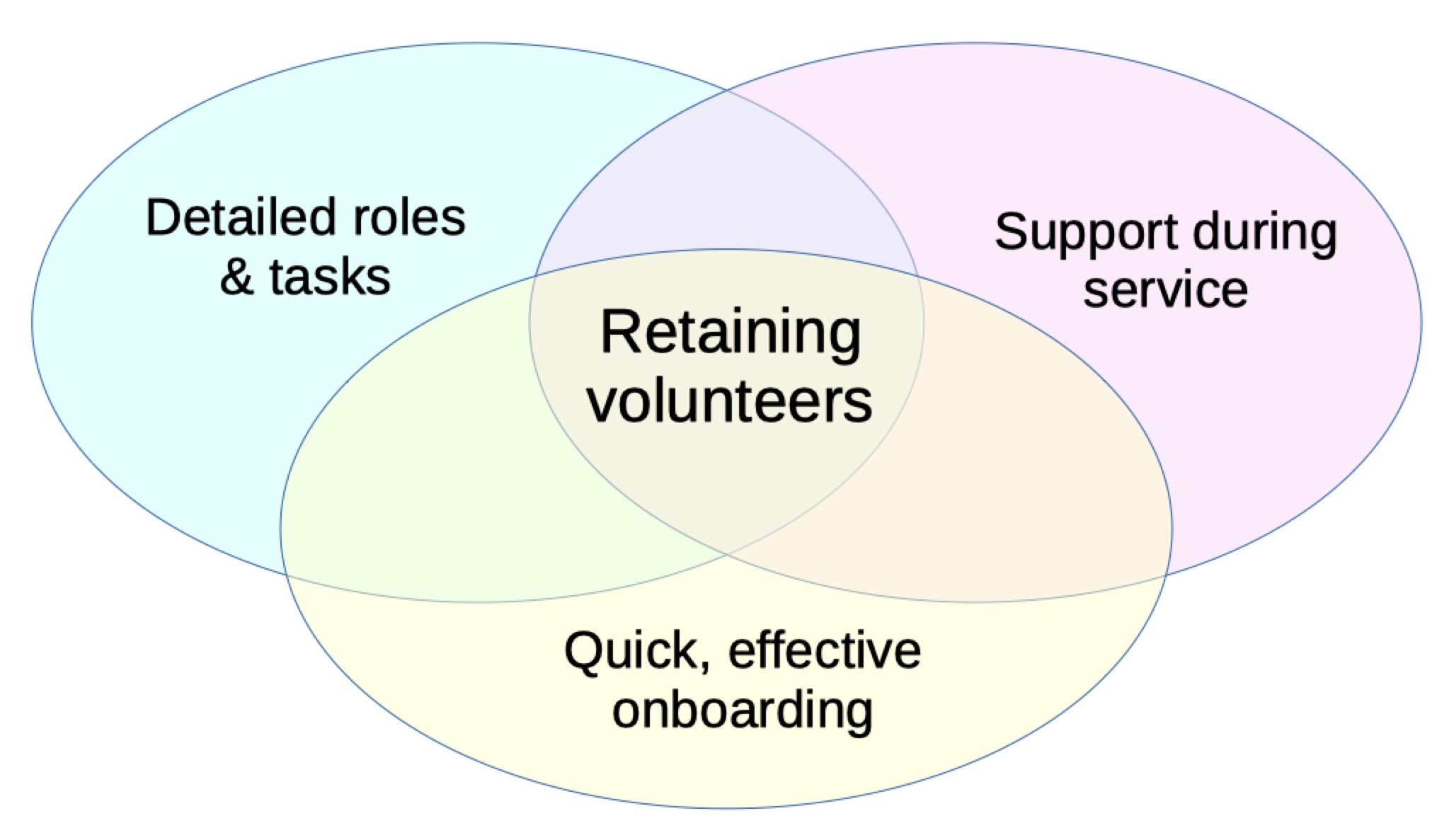
The key to retaining volunteers

Please, no more workshops called how to recruit and retain volunteers. Not unless each is about six hours long. Because to recruit volunteers is one function, but to retain volunteers – to keep volunteers beyond just a few days or weeks, to prevent sudden and frequent turnover – requires doing well in all aspects of effective volunteer engagement, and those aspects can’t be taught in an hour or two.

This graphic represents what I mean: if you have clear roles and tasks for volunteers, in writing, if you quickly onboard volunteers and ensure they are prepared for the role or task they will take on, and if you have excellent, appropriate support for volunteers during their service, you will retain volunteers:

And I believe that all of those functions frequently and regularly intersect – you cannot think of them as entirely separate activities.

If you aren’t retaining volunteers, if volunteers are leaving before they even start a task, or they are leaving soon after joining, the reasons probably lie in one of these three areas:

  1. they signed up to help but there was a big gap between that time and when you held your first meeting with them or got them started on a task,
  2. they did not have realistic expectations or understand what you expected because roles and tasks weren’t in writing, or
  3. they did not feel adequately supported or prepared for the volunteering role.

Another big reason for volunteers leaving is that they do not feel appreciated or that their service doesn’t seem to really be of value. I count that under support for volunteers, but you could certainly do an entire workshop just on that aspect of effective volunteer engagement (I certainly could).

Of course, the only way to know for sure is to ASK VOLUNTEERS WHO LEFT.

Also see diagnosing the causes of volunteer recruitment problems.

The principles of effective volunteer engagement, including identifying appropriate roles and putting them in writing, onboarding volunteers quickly and providing appropriate and regular support for volunteers are the basis for the recommendations detailed in The Last Virtual Volunteering Guidebook: Fully Integrating Online Service Into Volunteer Involvement. This is the most comprehensive resource anywhere on working with online volunteers, and on using the Internet to support ALL volunteers, including those you might not think of as “online” volunteers.

If you have benefited from this blog or other parts of my web site or my YouTube videos and would like to support the time that went into researching information, developing material, preparing articles, updating pages, etc. (I receive no funding for this work), here is how you can help.
Facebook, Meta, Virtual Worlds – Benefits? Risks? Does Second Life offer lessons?

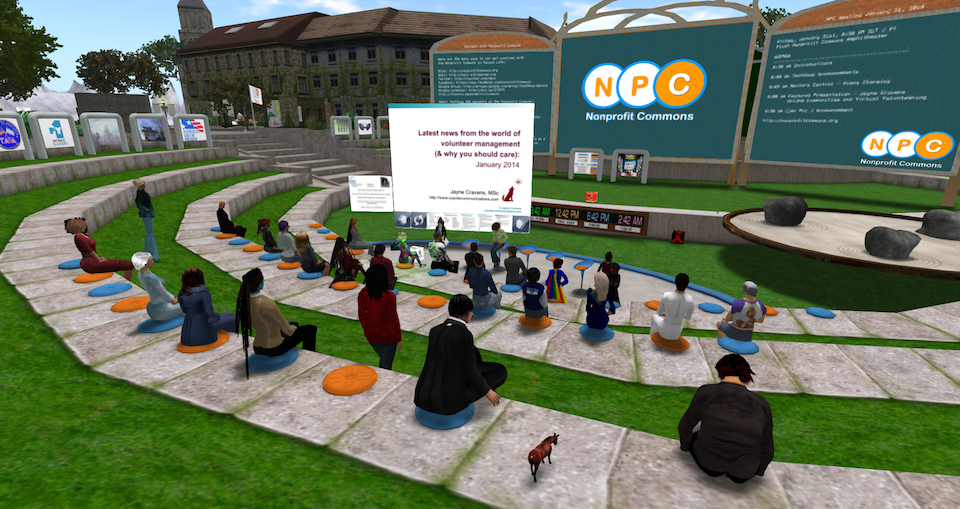
a screen capture of a webinar that took place in Second Life, an avatar-based virtual world.

An online multimedia platform that allows people to create an avatar for themselves and “live” in an online virtual world. Avatars interact with places, objects and other avatars, exploring the virtual world, meeting other residents, socializing, having business meetings, hosting events, participating in group activities, building, creating, shopping, collaborating, even trading virtual property and services with one another.

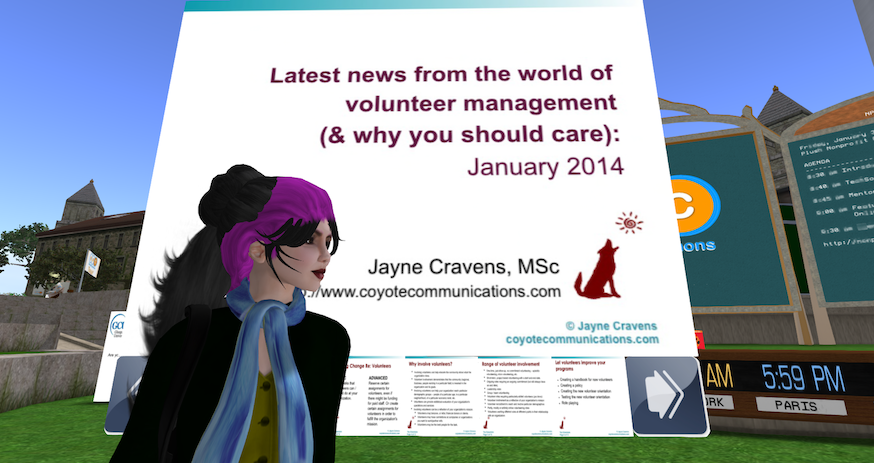
Mark Zuckerberg’s Metaverse? No! I’m talking about Second Life, which launched back in 2003. The image at the top of this blog, and the image below, are of me, as an avatar, leading an event in Second Life for TechSoup back in 2014:

An image of Jayne Cravens as an avatar in front of a giant silde from her event within Second Life.

TechSoup was an early and passionate adopter of Second Life, hosting numerous online events there. If you do a search for Second Life on the TechSoup forum, you would find numerous references to the platform and TechSoup activities there over the years.

Mark Zuckerberg, founder of Facebook (now Meta), said to much fanfare that he wanted to launch his own metaverse. The new virtual-reality app Horizon Worlds is Facebook’s first foray into the much-hyped “metaverse” for Facebook parent company Meta. Horizon Worlds, a beta version of which featured prominently in Zuckerberg’s announcement, launched Dec. 9 in the United States and Canada on the company’s Oculus virtual-reality platform and represents its first major attempt to deliver on his vision.

Were you on Second Life? Are you still on Second Life? Did you participate in TechSoup’s events on Second Life, or any other nonprofit-related activities? What do you think emerging virtual worlds, including Meta’s projects, can learn from Second Life? Comment below!

This article from The Duke Law JournalThe Development and Failure of Social Norms in Second Life, seems like something that the Meta folks should read. Its conclusion about Second Life:

Second Life is so thoroughly steeped in conditions that have impeded the development of successful social norms in other communities that any system of social norms in Second Life will ultimately fail. Because social norms will likely fail to successfully maximize resident welfare, regulatory schemes imposed both by the operators of the virtual world and by real-world governing institutions are needed to enhance the functioning of this particular alternative reality inhabited by millions.

Do you think Meta’s virtual world is addressing this issue? Do you think they need to plan for how to address such? And are you worried about safety at all with any online platforms? Comment below!

Nina Jane Patel was targeted with sexual harassment in Facebook/Meta’s platforms. “Within 60 seconds of joining — I was verbally & sexually harassed — 3–4 male avatars, with male voices, essentially, but virtually gang-raped my avatar & took photos…” The 43-year-old mother said it was such a “horrible experience that happened so fast” before she even had a chance to think about using “the safety barrier,” adding that she “froze.” She continued by confessing how both her “physiological and psychological” reaction was similar to it happening in real life. “Virtual reality has essentially been designed so the mind and body can’t differentiate virtual/digital experiences from real,” Patel wrote.

This is similar to assaults that happened in Second LIfe. Examples:

Horizon Worlds is supposed to be limited to adults 18 and older. In practice, however, very young kids appear to be among its earliest adopters. Some say the presence of children in Meta’s fledgling metaverse raises a grave concern: that by mixing children with adult strangers in a largely self-moderated virtual world, the company is inadvertently creating a hunting ground for sexual predators.

When new online forums arise that attract kids, sexual predators “are often among the first to arrive,” said Sarah Gardner, vice president of external affairs at Thorn, a tech nonprofit that focuses on protecting children from online sexual abuse. “They see an environment that is not well protected and does not have clear systems of reporting. They’ll go there first to take advantage of the fact that it is a safe ground for them to abuse or groom kids.”

More on safety for children in virtual worlds from the Washington Post.

Could nonprofits that engage in an online metaverse be putting their clients or others at risk by asking them to be there too? Comment below!

There’s one more consideration: accessibility. If you engage with people in a graphics-based environment, you are leaving out people who have sight-impairments. How will auditory displays work for graphics-based environments to address accessibility issues (I’m asking because I really don’t know)? Or is it a matter of ensuring you never limit your service delivery and volunteer engagement to only a graphics-based environment?

cover of Virtual Volunteering book with hands raising up various Internet connected devices

There is section devoted to virtual volunteering and avatar-based environments in The Last Virtual Volunteering Guidebook. The section offers some examples of nonprofits using Second Life to engage with clients and volunteers, and offers specific advice on how a nonprofit should get started using such environments, considerations to explore and pitfalls to avoid – all of which is relevant for any graphics-based virtual world. The rest of the book is easily adaptable to engaging with volunteers in graphics-based/avatar-based virtual worlds as well.

Looking forward to hearing your comments!

If you have benefited from this blog or other parts of my web site and would like to support the time that went into researching information, developing material, preparing articles, updating pages, etc. (I receive no funding for this work), here is how you can help.
A Graphic Explanation of the Difference in Email, Social Media & Online Communities

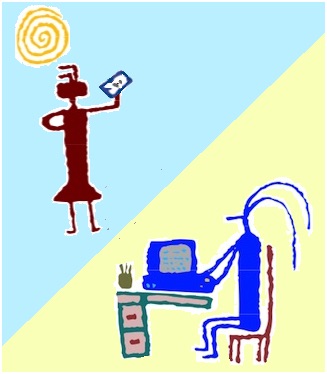
It can be difficult for people to understand the difference in email, in social media and in online communities. They are different, but they do greatly intersect: email can be used to create an online community, and social media can be used to create an online community (Facebook Groups, for instance). And they all are people sending messages to people – so what, really, is the difference? 

I realized, per an interaction with a student in my Gratz College course, just how much many people struggle with understanding the difference. So I tried to create a way to graphically represent the difference in email, social media and online communities for nonprofits, libraries, NGOs and other mission-based, cause-based initiatives. The differences in narrative form are also shown.

You can see how I did this here. Your thoughts, in the comments, are welcomed. How would you change the graphics or the explanation? What would your graphic representation look like?

If you have benefited from this blog or other parts of my web site and would like to support the time that went into researching information, developing material, preparing articles, updating pages, etc. (I receive no funding for this work), here is how you can help.
Volunteer Bill of Rights – a commitment by a host organization to volunteers

graphic by Jayne Cravens representing volunteers

I ask this on the volunteer subreddit and got just one response… maybe I will have better luck on my own blog.

In 2010, Robert Egger, the founder of the nonprofit DC Central Kitchen, proposed a national Volunteer Bill of Rights. In an interview, he said, “If a program can’t tell a volunteer what they accomplished, allow them to talk to any staff member, provide financial data or allow a volunteer to rate their experience or provide feedback—then volunteers should feel free to call them out.”

His Volunteer Bill of Rights, which he implemented at DC Central Kitchen, included the following:

  • The right to work in a safe environment.
  • The right to be treated with respect by all staff members.
  • The right to be engaged in meaningful work and be actively included regardless of any physical limitation.
  • The right to be told what impact your work has had on the community.
  • The right to ask any staff member about the organization’s work.
  • The right to provide feedback about your experience.
  • The right to receive financial information or an annual report.

In 2019, the Association for Women in Communications created its own Volunteer Bill of Rights and Responsibilities. In their document, they said that it is a Volunteer’s Right to:

  1. To be assigned a task that is worthwhile and challenging.
  2. To receive the orientation, training and supervision needed to do the job.
  3. To feel that your efforts have real purpose and contribute to the organization’s mission.
  4. To receive useful feedback and evaluation on the volunteer work that you perform.
  5. To be treated with respect and as an equal partner within the agency.
  6. To be trusted with confidential information necessary to carry out your assignment.
  7. To be kept informed about relevant matters within the organization.
  8. To expect that your time will not be wasted because of poor planning or poor coordination by the organization.
  9. To ask any questions that will clarify a task or assignment.
  10. To give the organization input or advice on how to better accommodate the needs of present and future volunteers.

And they said it is a Volunteer’s Responsibility to

  1. Not to take on more responsibility than you can handle.
  2. Meet time commitments or to provide notice so alternative arrangements can be made.
  3. Perform the tasks assigned to you to the best of your ability.
  4. Provide input on ways your task might be better performed.
  5. Follow organization policies and procedures.
  6. Respect those confidences entrusted to you.
  7. Be open-minded and respectful towards opinions shared with you.
  8. Notify the organization in advance of absences or schedule changes that may affect them.
  9. Accept reasonable tasks without complaints.
  10. Communicate and work with others in the organization if the task calls for it.

I would add that I believe a volunteer has a right to:

  • Ask for a description of a role or task in writing, detailing time commitments, responsibilities, impact of the service to the organization, etc.
  • Ask why a role, or certain roles, are reserved by the organization for volunteers (as opposed to paying people for their time and expertise), and get an answer that is not “because we can’t afford to pay people.”
  • Expect a role to be fun and/or personally fulfilling and/or professionally helpful.
  • Complain and be treated with respect if complaining when an organization has not fulfilled its responsibilities to the volunteer, in terms of providing a safe environment, being treated with respect, addressing harmful and or toxic behavior, provided with appropriate preparation and support for a role or task, information-sharing by staff, what a role is versus how it was described initially to the volunteer, etc.
  • Say no and withdraw from a role without penalties to future volunteering or program participation if a role the volunteer has successfully undertaken changes substantially later in terms of the amount of time required, the responsibilities, the training required, etc.
  • Not face any financial burdens to volunteering in their own communities (where they live geographically) or online, in terms of having to pay a prohibitive fee to the organization in order to volunteer.

What would you add? Or reword? Or do you even think such a Bill of Rights is necessary? And when I say necessary, I mean that nonprofits sign on to it, post it, and voluntarily adhere to it (or try to) – not a legal document, just a promised MO. Please add your ideas in the comments section below.

And what might prevent you, as a volunteer-hosting organization, from implementing such a Bill of Rights for your volunteers? Please comment below!

If you have benefited from this blog or other parts of my web site and would like to support the time that went into researching information, developing material, preparing articles, updating pages, etc. (I receive no funding for this work), here is how you can help.
Helping online volunteers stay engaged & energized

In pre-pandemic times, an online meeting felt like a luxury, a welcomed relief from driving to a site or taking mass transit. Now, because of COVID-19. when the only way to safely work together is online or via the phone, we’re all burned out by online meetings, and there’s nothing virtual about our fatigue.

In addition, volunteering onsite is a way to be a different person than we are at our paid work or in a classroom or even with our families. It’s a way to feel like we’re making a difference in the world. It can be a refreshing change from other parts of our life. For people that live alone, volunteering onsite can provide a much needed social life. While I think online volunteering can be wonderfully personal, I also know that virtual meetings, virtually all the time, is not the world most of us want to live in.

Volunteers are exhausted. Many that still have jobs and struggling to do those and assume new family care obligations – children are in virtual school and some older relatives have moved back in with younger family members. Many are having to look over their finances every day. Most everyone is scared of for their own health as well as everyone else in their household. And many people, especially living alone, are oh-so-lonely. Volunteering these days doesn’t offer the time out it did in pre-pandemic times – it can just feel like another online meeting.

But nonprofits still need volunteers, and volunteers still need volunteering. I know so many nonprofits, NGOs, charities and other groups have a huge amount on their plate these days and far more stresses than usual, but we all need to take a deep breath and spare some thoughts for both our current volunteers and those we want to recruit.

How to Recruit & Engage Volunteers in a Time of Virtual Fatigue, an article is by WBT Systems, which produces TopClass LMS, a learning management system for membership-based associations, has great advice for any program involving volunteers. It starts with some basics from quality volunteer engagement we should all know and apply even in non-pandemic times, like creating realistic roles for volunteers and emphasizing why the task matters to the program and the difference it will make. But then it gets into more specific advice that relates to current remote working challenges, which I’ve reframed and expanded below.

For instance, we all need to better commit to SHORT meetings that have a definite purpose and a definite start and end time. Don’t have a general, open group volunteer meeting; have a here’s-what-everyone’s-doing meeting, devoted exclusively to elevator speeches from each volunteer. Or have a celebrate-one-accomplishment meeting, devoted solely to quick updates. Whatever the meeting, be able to answer these questions: what do I want to happen as a result of this meeting? Why does this meeting matter? Why can’t you ask for this info via email?

I like to prepare my meetings as though it’s a stage performance: I like start and end on time and know exactly what I want to say, but also be ready for a spontaneous improv moment! I also am ready to facilitate: to frankly, politely tell a person who is going too long that we are going to have to table that discussion until later, for instance, because we need to hear from everyone.

Also regarding meetings, the article suggests telling volunteers you will open up an online meeting 15 minutes before the start and leave it open 15 minutes after so they have a chance for chatting, if they wish. I have REALLY enjoyed this in meetings and webinars.

I sometimes encourage people I’m meeting with to have the meeting in a different room than they are in usually – and I do the same. The same rules apply: you should be in a well-lit room that does not have lots of distractions, if at all possible (people walking through the space, intrusive sound, etc.). Otherwise, you might be surprised at how refreshing it feels to have a meeting in a different room, or even just in a different place in the usual room.

In addition, I like when I don’t have to have a full meeting to get a question resolved or check-in with everyone – I like having a Slack channel just for volunteers I’m working with, so they can check-in or ask a question of me, any time. It’s a virtual way of dropping by my office. And it keeps messages out of my email in-box.

The WBT Systems article suggests that you “Invite someone to Zoombomb the end of the meeting, perhaps the CEO, board chair or another leader who thanks the volunteers for giving their time and talent.” I LOVE this idea.

I’m somewhat tepid on the idea of things like encouraging everyone to wear a hat, or having everyone bring a toy to a meeting, etc. – the article doesn’t suggest this, but I’ve seen it elsewhere. I’m not big on ice breakers before every onsite meeting – I do not like having my time wasted, especially when I’ve schlepped across town or had to juggle to carve out time for a meeting, and everyone going around the room talking about who their favorite superhero is (Wonder Woman in the DC universe, Jane as Thor in Marvel). Online, I can find meeting games even more annoying. I want to feel like my time is valued and what’s most needed is getting done. In the end, you have to know your audience, you have to experiment and be observant, you have to be open to what is NOT working, and you have to work towards balance.

cover of Virtual Volunteering book with hands raising up various Internet connected devices

Don’t assume staff working with volunteers, or even volunteers themselves, understand how to lead and manage virtually. Yes, I’m going to yet again recommend The Last Virtual Volunteering Guidebook, which emphasizes support for volunteers more than any other topic. Also, if you have time, look for videos and articles that could help others, and if you don’t have time, recruit a volunteer to curate such for you to review and share.

When Susan Ellis and I wrote The Last Virtual Volunteering Guidebook, we never envisioned a global pandemic creating this massive, sudden shift to virtual volunteering for so many agencies. I’m glad to be able to recommend this detailed resource for ensuring success in virtual volunteering, with far more information than a blog or webinar ever could.

Also see:

If you have benefited from this blog or other parts of my web site or my YouTube videos and would like to support the time that went into researching information, developing material, preparing articles, updating pages, etc. (I receive no funding for this work), here is how you can help

Cultivating Online Civility

When I began writing about online culture, back in the late 1990s, misinformation was at a minimum and easy to identify, and hateful trolls were oh-so-quickly banned from the online communities they tried to disrupt.

Now, hate and misinformation rage online, and not just among strangers – neighbors are raging against each other on local online communities.

Back in the 1990s, in promoting virtual volunteering – using the Internet to support and involve volunteers – people who were new to the Internet (yes, there used to be such people) would ask lots of questions about what it is like to work with people remotely, rather than onsite, in-person. I created a section of the Virtual Volunteering Project web site, and then my own web site, specifically to talk about online culture, about the different ways people expressed themselves online and how to appreciate those differences, and how to quickly ramp up your skills for working with others online. I linked to some netiquette guidelines, but didn’t put much emphasis at all on online civility, dealing with trolls or addressing misinformation.

My, how times have changed…

A recent Wall Street Journal investigation revealed that Facebook was aware of its Facebook groups feature’s polarizing tendencies as early as 2016, and the Facebook groups feature continues to serve as a vector for lies, especially regarding COVID-19, as this Wired article, Facebook Groups Are Destroying America, notes:

Facebook users have been seeing more content from “friends and family” and less from brands and media outlets… Dynamics in groups often mirror those of peer-to-peer messaging apps: People share, spread, and receive information directly to and from their closest contacts, whom they typically see as reliable sources. To make things easier for those looking to stoke political division, groups provide a menu of potential targets organized by issue and even location; bad actors can create fake profiles or personas tailored to the interests of the audiences they intend to infiltrate. This allows them to seed their own content in a group and also to repurpose its content for use on other platforms... Related memes and links to fringe right-wing websites have been shared millions of times on Facebook in the past few months. Users coordinating their activities across networks of groups and pages managed by a small handful of people boost these narratives. At least nine coordinated pages and two groups—with more than 3 million likes and 71,000 members, respectively—are set up to drive traffic to five “news” websites that promote right-wing clickbait and conspiracy theories. In May, those five websites published more than 50 posts promoting Obamagate, which were then shared in the linked pro-Trump groups and pages. The revolving door of disinformation continues to spin.

And that doesn’t even begin to address the problems with dedicated trolls – people who target others online with insults and harassment in an effort to drive the person offline.

I now have a curated list of resources on online civility, and I continue to update my long list of recommendations on how to address online misinformation, which I’ve been maintaining for more than two decades. I also now have a web page of resources regarding online harassment, defamation & libel, and I regularly share on the TechSoup Online Community about how women worldwide are the frequent targets of harassing trolls who dedicate their time to silencing those voices. I never dreamed back in the 1990s things would be so overwhelmingly negative now and these would be the highly critical issues that they are. But, here we are.

Can online civility be restored? Is it possible to challenge misinformation and destructive speech in the strongest, most deliberate of terms without being accused of hate speech yourself? Can there be rules for online civility that don’t stifle much-needed debate? I hope these curated resources can help answer those questions – but, honestly, based on what I’ve experienced myself this year, I’m deeply skeptical. Perhaps I need to create a list of resources on “Learning to live and thrive in a world with hateful, hate-filled people.”

Also see:

Also, the Last Virtual Volunteering Guidebook: Fully Integrating Online Service Into Volunteer Involvement can help you better work with people online – specifically volunteers. These can be volunteers in short-term, “microvolunteering” tasks or longer-term, more high-responsibility roles. These can be volunteers who do some or most of their service onsite, at your organization or volunteers who do most or all of their service remotely, rarely or ever onsite and in-person with you. This is the most comprehensive resource anywhere on working with online volunteers, and on using the Internet to support ALL volunteers, including those you might not think of as “online” volunteers.

If you have benefited from this blog or other parts of my web site and would like to support the time that went into researching information, developing material, preparing articles, updating pages, etc. (I receive no funding for this work), here is how you can help

The Nonprofit & NGO Guide to Using Reddit

A new resource from me: The Nonprofit & NGO Guide to Using Reddit

As of July 2019, Reddit ranked as the No. 5 most visited web site in the USA and No. 13 in the world. Reddit is a community of communities, and its communities are called subreddits. Statistics suggest that 74% of Reddit users are male. Users tend to be significantly younger than other online communities like Facebook with less than 1% of users being 65 or over.

If you want to reach a younger demographic regarding your volunteering opportunities, your awareness messages, your data that shows your value to the community and more, you need to build posts to Reddit into your marketing strategy, no matter what your nonprofit’s size or focus. This resource tells you how to do it. It covers how to find subreddits to join or read regularly based on your nonprofit or NGO mission, how to choose a user name, how to guide staff who may already have a Reddit user account, whether or not you should create your own subreddit and more.

And note: manging your Reddit presence and monitoring Reddit for discussions about your organization or program is a terrific role for an online volunteer!

If you have benefited from this blog or other parts of my web site and would like to support the time that went into researching information, developing material, preparing articles, updating pages, etc. (I receive no funding for this work), here is how you can help

You do not need to meet via video conference with every potential volunteer

Most virtual volunteering assignments are text-based or designed-based: translating text from one language to another, transcribing podcasts, captioning videos, managing an online discussion group, designing a database, designing a graphic, and on and on. And one of the reasons I have really loved virtual volunteering is that, when it’s also limited to text-based communications with volunteers, potential volunteers can’t be judged regarding how they look or sound. Instead, volunteers in virtual volunteering, at least until recently, are judged by the quality of the character they show through their words and work. I don’t like to think of myself as prejudiced, but I have often wondered if I have been reluctant to involve a volunteer onsite because of unconscious bias on my part upon meeting a volunteer candidate face-to-face.

Virtual volunteering encounters in previous years have hidden the weight, ethnicity, hair color, age, accents, and other physical traits of online volunteers from the person onboarding that volunteer, and vice versa. But now, video conferencing is all the rage, and many programs are requiring that volunteer applicants participate in a live online meeting before they can volunteer online. As Susan Ellis and I note in our book, The Last Virtual Volunteering Guidebook:

Today’s preference to actually see and hear each other online is a double-edged sword: it can make electronic communication more personal and personable, but it can also inject offline prejudices evoked by how someone looks.

As a result of this rush to online video, are online volunteering candidates being turned away from programs because of possible but unacknowledged biases on the part of the manager of volunteers or whoever is initially screening applicants?

Are people that want to volunteer online hesitating to apply because they do not like how they look on video, don’t feel confident regarding their speaking voice or presentation skills, or are uncomfortable with welcoming someone “into” their home, even virtually?

Do people that would be interested in volunteering with you online on a text-based assignment decide not to apply because their Internet access isn’t fast enough for live video conferencing?

Are there people that would be interested in volunteering with you online that aren’t in your same time zone or who work or have home care duties that prevent them from being available at all the times you want to have a live video chat?

Think carefully before you make a meeting by video with potential volunteers mandatory. Is such a video meeting really necessary for the assignment the volunteer will do? Absolutely, certain tasks and roles require you to know if the volunteer is well-spoken, understands how to present themselves in a reputable, credible, clear manner, etc. But if it’s not required, per the role the volunteer is applying for, then consider how to balance your need for something personal with the volunteer’s desire for privacy. Consider how freeing it can be for a volunteer to be judged by the excellent web site they build for you rather than the physical disability people see immediately upon meeting them (not that people with disabilities EVER want to hide!). Consider how good it can feel for a person who is uncomfortable with his or her weight to be valued because of the excellent moderation skills and dynamic personality they show on your online community (again, not that any person, regardless of their weight, should EVER want to hide!).

vvbooklittle

For a lot more about screening and orienting online volunteers, as well as designing tasks, providing support for volunteers using online tools, evaluating virtual volunteering, designing an online mentoring program and much more, check out The Last Virtual Volunteering Guidebook, available for purchase as a traditional print book or as a digital book. The book is an oh-so-much-cheaper way to get intense consulting regarding every aspect virtual volunteering, including more high-impact digital engagement schemes, than to hire me. You will not find a more detailed guide anywhere for working with online volunteers and using the Internet to support and involve all volunteers. It’s available both as a traditional paperback and as an online book. I also think it would be a great resource for anyone doing research regarding virtual volunteering as well.

Also see:

If you have benefited from this blog or other parts of my web site and would like to support the time that went into researching information, developing material, preparing articles, updating pages, etc. (I receive no funding for this work), here is how you can help

21 simple things to do while your programs are on hold during COVID-19 quarantines

WIth movement limited, public gatherings banned and so many people on home quarantine, many nonprofits, non-governmental organizations (NGOs), charities, government programs and other programs focused on helping or enhancing our communities or the environment are on hold. Some offices are closed entirely.

But there are LOTS of simple ways to use this “down” time that will benefit your program and make your program even stronger when physical distancing is no longer required. Many of these activities will help in fundraising efforts later.

Here are 21 ideas. Please add more in the comments:

  1. Make a list of your city, county, regional, state and national elected representatives and their contact info, if you don’t have it handy already. Going forward, you are going to always email these people about public events when your program starts having them again, and you are going to better advocate for your programs and all nonprofits, NGOs and charities as a result. An online volunteer could help you compile this info if you don’t have time.
  2. Make a list of all the off-site places your organization has held events, including meetings, classes and workshops, in the last few years. Put this list on a GoogleDoc or other shared space and ask staff and volunteers to comment on them in terms of what they liked about them, what they didn’t, etc. As a result, you have a robust database of event and meeting sites for the future.
  3. Make an archive of data you have always wanted to have handy: a list of every Executive Director your organization has ever had, or a list of every board member that has ever served, a list of every winner of a Volunteer-of-the-Year award you have given, a list of every major grant your program has ever had, etc. You can use past versions of your web site archived at the Internet Wayback Machine to access past info to the late 1990s (or ask a volunteer to do it). Such archives are great resources for institutional memory, to renew old contacts, to show your credibility, etc.
  4. Look over old versions of your web site at the Internet Wayback Machine and think about pages and resources your program has gotten rid of over the years that might need to be brought back and updated. This is a project multiple people can work on, including online volunteers.
  5. Find out the most-visited page on your web site, other than your home page. And what’s the second most-visited page? The third? What pages aren’t visited much, but should be? What can you do to make sure under-visited pages get noticed? Or should some pages be deleted per lack of interest, because they are so outdated, etc.? Compile this info and work with your web master or a volunteer to improve your site.
  6. Are your policies and procedures up-to-date regarding confidentiality, safety and sexual harassment, including in terms of online activities? Research the policies of similar programs (most will be happy to share them with you if they aren’t online already). Online volunteers can help with research.
  7. Define or revisit your organization or program’s Frequently Asked Questions (FAQs) and their answers. Documenting this helps new employees and volunteers and helps guide our web site design and communications strategies. The best person to define your program’s FAQs is the person who answers the phone and your main email account the most. Ask that person the top 10 – 20 reasons people call or stop by your organization or email your organization. Also ask this person to whom he or she transfers the most calls, and then talk to that person/persons as well, asking him/her/them what the top 10 reasons are that people call or email them.
  8. Do you have all of the information you should have on your web site for potential volunteers and for current volunteers? This is a great time to get your policies and procedures uploaded, an electronic version of your volunteer application posted (a volunteer can help you), photos of volunteers in action on the site, etc.
  9. Research Facebook groups and Reddit communities (subreddits) focused on your geographic area and think about how you could better leverage them in the future to promote your events, share new volunteering opportunities, share any messages meant to influence the public about an issue, etc.
  10. Create an online survey, or more than one: a survey to find out about the level of satisfaction of current volunteers (before lockdowns began) and where things can be improved, a survey of event attendees about what they would like to see in the future offered by your organization, etc.
  11. Create an online discussion group for your current volunteers. You can use GoogleGroups or https://groups.io/ for free. If you already have such an online discussion group, create a question or discussion of the week: How could our web site be better to represent what volunteers do at our organization? What’s the most challenging thing you’ve faced as a volunteer and how did you address that challenge? What’s a skill or talent you have that most people don’t know you have? Share a photo of you “in action” as a volunteer.
  12. Ask volunteers and clients to take a video of themselves on their smartphones or computers, something under one-minute, saying what your program has meant to them, why they think it’s valuable, etc. Tell them you will be using clips from these videos for a compilation video you will post on YouTube. Once you get enough footage, recruit a volunteer to knit these together, adding a title page, fade ins and outs, music, etc.
  13. Get your Twitter lists in order.
  14. Do you have raw footage of videos of events or training that aren’t shared with the public – but you wish you could do something with them? You could recruit volunteers to do things with such: make a one-minute or three-minute video with copyright-free music that offers program highlights, or to edit a video down to something that could be shared with the public.
  15. Add robust descriptions to your YouTube videos: name of the video, a summary of what it is, the full name of your organization, names of people featured in the video, a web address for more information, keywords/tags, etc. This will vastly improve the findability of these videos.
  16. Ask volunteers to caption your videos on YouTube so that people with hearing impairments and people who are in an environment where they cannot listen to them can experience them (YouTube will caption these automatically and then a volunteer can fix them).
  17. Ask volunteers to transcribe your program podcasts so people can read them (not everyone wants to listen to them).
  18. Ask volunteers to add alt text on all of your photos and graphics on your web site, making the site more accessible for people with sight impairments.
  19. Get rid of all “read more” and “click here” links on a web site, replacing them with descriptive links, so that the web site is more accessible for people with disabilities (you can ask a volunteer to do it if you don’t have time).
  20. Add appropriate titles in the title HTML for every page on your web site. This will improve Search Engine Optimization, improve accessibility for people with sight impairments, and means when someone types the URL (web address) of a web page into something like Quora, the correct title of the page will automatically show up.
  21. Take a deep dive into expanding virtual volunteering, exploring how to use the Internet to support ALL of your volunteers, including your traditional, onsite volunteers, is via The Last Virtual Volunteering Guidebook, which I wrote with Susan Ellis. It is the most comprehensive, detailed resource available regarding virtual volunteering, and a copy of my book is far cheaper than hiring me to do a workshop!

And a reminder that there has never been a better time for your organization to launch immediate activities and roles for online volunteers. How they could help you with the aforementioned activities should be obvious. Here are even more ideas, from my last blog.

If you have benefited from this blog or other parts of my web site and would like to support the time that went into researching information, developing material, preparing articles, updating pages, etc. (I receive no funding for this work), here is how you can help