Author Archives: jcravens

About jcravens

Jayne Cravens is an internationally-recognized trainer, researcher and consultant. Her work is focused on communications, volunteer involvement, community engagement, and management for nonprofits, NGOs, and government initiatives. She is a pioneer regarding the research, promotion and practice of virtual volunteering, including virtual teams, microvolunteering and crowdsourcing, and she is a veteran manager of various local and international initiatives. Jayne became active online in 1993, and she created one of the first web sites focused on helping to build the capacity of nonprofits to use the Internet. She has been interviewed for and quoted in articles in The New York Times, The Wall Street Journal and the Associated Press, as well as for reports by CNN, Deutsche Well, the BBC, and various local radio stations, TV stations and blogs. Resources from her web site, coyotecommunications.com, are frequently cited in reports and articles by a variety of organizations, online and in-print. Women's empowerment and women's full access to employment and education options remains a cross-cutting theme in all of her work. Jayne received her BA in Journalism from Western Kentucky University and her Master's degree in Development Management from Open University in the U.K. A native of Kentucky, she has worked for the United Nations, lived in Germany and Afghanistan, and visited more than 30 countries, many of them by motorcycle. She is currently based near Portland, Oregon in the USA.

Taking control of your web site when you aren’t the web master

Most web masters at mission-based organizations – at nonprofits, non-governmental organizations (NGOs), government agencies and schools – want to do the best job possible in creating and managing the initiative’s web site.

Unfortunately, there are situations where staff at mission-based organizations are intimidated by the people that manage their web site, to the point of being afraid to ask questions, even to ask for a change in the site. All a web master has to say is, “That can’t be done” or “that’s too expensive” or “I won’t be able to do that” and many of these staff members will not pursue an issue further. After all, the web master is the expert, right?

It is unfortunate that there are so many web masters that take advantage of their expertise and will use it to claim certain things cannot be done on a web site when, in fact, they can be done. Perhaps they don’t see it as a priority and don’t want to do it. Perhaps they don’t know how and don’t want to admit it. Whatever the reason, it holds a lot of organizations back from doing all that they should with their web sites, like making them designed for their particular audiences, or making them accessible for people with disabilities.

Here are things staff at mission-based organizations can do to set a tone with IT staff regarding who has input into web-related decisions, including design:

1. Ask your web master what company hosts your organization’s web site, how your domain name is registered, and for all passwords. Your web site should be hosted by a reputable company in the business of hosting web sites, not the web master’s side business or through a company he or she has a “special deal” with. You can look up your domain name registration here and make sure it’s registered in such a way that your organization owns it, not your web master, and that it matches what your web master tells you. You need all of the passwords associated with the web site in case the web master leaves.

2. Ask your web master what the 10 most visited pages are on your web site are. This is a very easy question to get answers for, and there should be no reason for your web master to hesitate to provide this information. 

As you review the data he or she provides, ask yourself, the web master, and other staff member these questions:

  • Is there a page on your web site that is more popular than the home page? Why is that?
  • Are these the 10 pages you want to be the most visited on your web site? If not, what should you do to increase the number of visitors to the pages you most want users to visit?

Don’t just think about increasing visitors to certain pages. Sure, you could get more people visiting your donate to us page if you made it your home page, but would it increase the number of donations your nonprofit gets? No. Think about what you want to happen as a result of people visiting your web site, what you want users to do as a result of navigating around your web site, and remember that different people will have different wants regarding your web site. Have your web master in on these conversations, so he or she can understand your organization’s communications priorities, which program staff should set, not the web master.

3. Invite volunteers to your conference room and have them navigate your web site with their own laptops and smart phones. Have the web master there to observe. Ask the volunteers to find information on how to volunteer, and quiz them on what they found. Ask them what donations pay for at your organization, based on what they found on your web site. Ask them what difference your nonprofit makes, based on what they found on your web site.

Take notes on their answers and then have a followup meeting with communications staff, including the web master. Talk about what you learned from this feedback, and either develop a plan on how to adjust your web site so that it does what you want it to do, or ask your web master to develop such and then present it to staff.

4. Six months after the changes have been made to your web site, do steps one and two again. Are the top 10 pages visited on your web site the pages you want most visitors to see? Are volunteers able to more easily find information about how to volunteer, what donations pay for, what difference your nonprofit makes, etc.?

5. When you want a feature on your web site, find an example of it on another web site, particularly at a company or agency about the size of your organization. Have this ready to show the web master, to prevent the “that can’t be done” argument.

6. Tell your web master which staff members need to be able to make simple text changes without his or her support. Whomever is in charge of communications at your organization should have this ability. Maybe you want a small group of reliable volunteers with some web design experience who can step in to do such when the web master is not available. And then have your web master show exactly how those staff members should make those changes via whatever content management system he or she prefers. Maybe there is a WordPress interface. Maybe there is another type of interface (I use BlueGriffon). The point is that you should never have to wait for the web master to make time to merely add a paragraph or two to a page, or to correct a typo.

These six simple things will let you take back control over your organization’s web site, and help you have the documentation you need for when your web master moves on – and your web master WILL move on!

Also see:

If you have benefited from this blog or other parts of my web site and would like to support the time that went into researching information, developing material, preparing articles, updating pages, etc. (I receive no funding for this work), here is how you can help.

United Nations scales back online volunteering program

The United Nations Volunteers program, an initiative under the UN Development Program (UNDP), has stopped accepting new nonprofits, NGOs and others who apply to use the Online Volunteering Service, onlinevolunteering.org.

Organizations that have already been accepted into the Online Volunteering service can continue to use it to recruit online volunteers, but no new volunteering hosts are being accepted, and there is no word on whether this is a temporary or permanent change – and what this changes means for the future of the UN’s pioneering virtual volunteering initiative.

I found this out when I tried to register the nonprofit where I am working now – the nonprofit where I work is an international program and one of our nonprofits clients, in Congo, is familiar with both the OV service and my own work in virtual volunteering (it’s a small world, truly!). It reminded me that the organization where I am working now needs to make sure people in other countries know about our many online volunteering opportunities – we strive to be an inclusive organization, and involving international online volunteers is a part of that. As our program works to address at least three of the Sustainable Development Goals, the UN’s Online Volunteering service seemed like an obvious choice for the organization.

But after I filled out the application, I received an email from UNV that pointed me to this announcement on the home page:

April 5: The UNV Online Volunteering service has suspended acceptance of new registrations from non-governmental (NGO) and other civil society organizations (CSOs).

The Find out more link after this announcement makes no mention of the suspension. The other pages on the UN site make no mention of this suspension. The how does it work page makes no mention of this suspension. The page with the heading “Organizations that find volunteers through us are”, says that organizations need to be officially registered with appropriate government authorities and provide proof of such, be a nonprofit, an NGO or other civil society organization, a government or other public institution, a United Nations agency or other intergovernmental institution, and active in the field of sustainable human development. There’s no mention at all of on this and other pages that the OV service has suspended acceptance of new registrations from organizations that want to host online volunteers.

Because the application on the OV service for new hosts of online volunteers still works, and all of the links to it still function, I’m not sure if the suspension is for all new users of the online volunteering service that want to host online volunteers, or if United Nations agencies are still allowed to apply to use the service. Is this ban just for NGOs and other non-UN agencies? Is it temporary or permanent? Is this the first step in getting rid of the OV service altogether? And why have these changes been made? I have asked UNV but have not had a response in more three weeks.

If UNV is getting rid of the Online Volunteering service, it will be devastating news. The OV service is one of the most successful programs the UN has launched outside of is emergency humanitarian response programs and its post-conflict-rebuilding programs. Yes, I feel that strongly about the OV service. I think the lessons from the OV service regarding virtual volunteering can still be helpful to any tech4good, micro-volunteering initiative starting now. Note when you read these lessons that the early adopters of the service were NOT UNITED NATIONS AGENCIES, nor were the organizations that most online volunteers supported through the service: they were nonprofits and NGOs, some of them quite small – the kinds of organizations that aren’t allowed to use the UN Online Volunteering service anymore.

This is particularly bitter news on this the 20th anniversary of NetAid, which launched the UN’s online volunteering efforts that became the Online Volunteering service.

What could cause this radical change? Lack of funding and, therefore, a lack of staffing for the OV service? Lack of support from senior management? I would love to know. Let’s hope for a quick and clear response.

And let’s hope someone takes the lessons from the OV service regarding virtual volunteering and creates a viable alternative for those organizations that want to involve online volunteers from outside their country’s borders in their initiatives, and for online volunteers that want to help programs serving the developing world specifically.

Update: UNV has sent a cryptic reply on Twitter that reads: “Thank you for your comment. Online Volunteering continues to be a integral part of the @UNVolunteers offer. The platform will be enhanced in the coming months as the organization expands digital-savvy solutions for all involved.” Answers nothing brought up in the blog. Frustrating!

January 2, 2020 update: UNV now has a new message on its OV web site that says: “Effective 1 January 2020, the Online Volunteering service is free of charge to all eligible partners. Eligible partners are: UN entities, Governmental or other public institutions, and Civil Society Organizations.” But if you click on the link for more information, you discover that UNV has a VERY narrow version of civil society organizations (CSOs): it has to be a CSO already registered with the OV service, or the organization has to provide evidence of accreditation with the Economic and Social Council (ECOSOC), or the organization has to be working with a UN Country Team as an implementing partner or through an agreement and submit a form signed by the UN Entity they are partnering with.

So, in short, the OV service no longer can be used by most nonprofits, NGOs and CSOs. There’s no explanation as to why this decision has been made. So, if your nonprofit, NGO or CSO doesn’t meet the criteria, you can’t use the UNV Online Volunteering service to recruit online volunteers. If you want to recruit online volunteers, I recommend these resources:

Your own country’s volunteering center. Your own country may have a web site that recruits volunteers, online or onsite, for nonprofits, NGOs or CSOs in your country. I have list of many of these here. And use this advice when posting your opportunities to such a site.

Finding a Computer/Network Consultant (you can adapt these for online volunteers, not just tech folks)

Required Volunteer Information on Your Web Site – how to use your own web site to recruit volunteers (not just online volunteers)

Adam ruins everything & educates a LOT

There is a television show in the USA called Adam Ruins Everything. It is both a comedy show and an educational show that uses humor to debunk myths and misconceptions. I think it’s a great example of how to use an entertaining approach, even a provocative approach, to educate about science, including accurate health information. I think humanitarian aid and development agencies, particularly those concerned with public health education, should take note of it.

An example is the show’s comedic and medically-accurate presentation about the misunderstandings many – maybe most people – have regarding female physiology, particularly regarding the hymen and virginity. This is a good model of how much more interesting public health and women’s health videos could be:

It’s not a video that would be appropriate in every culture and country, but its frankness, fast-pace, humor and accuracy can’t be denied.

This isn’t the first time I’ve gotten good advice for outreach by nonprofits, including humanitarian organizations, from TV:

If you have benefited from this blog or other parts of my web site and would like to support the time that went into researching information, developing material, preparing articles, updating pages, etc. (I receive no funding for this work), here is how you can help

Ethical question for nonprofits: should you delete your Facebook account?

Green cartoon hand palm up facing the viewer, to denote caution

By using Facebook, you are exposing yourself to data mining at a level never before seen, with companies buying up all the information you freely share on Facebook through your posts and likes, as well as what you have put into your profile (your birthday, family connections, etc.) and using it to target you for products, services and, of course, misinformation. Through your continued use of Facebook, you may also be seen as endorsing Facebook’s business practices which are under investigation by Congress.

On the other hand, Facebook is, by far, the most widely-used social media platform and makes it oh-so-easy to share information with current and potential clients, constituents, volunteers, other supporter and the general public. A nonprofit or government agency that stops using Facebook may be cutting itself off from people who need its information, as well as from current and potential supporters.

So, should your nonprofit, as a matter of safety and ethics, delete its Facebook page and any Facebook group it manages and stop using the platform altogether?

For now, I’m going to say no, don’t, because so many, many current and potential clients, constituents and supporters of nonprofits are best reached by Facebook. I’m not sure deleting, say, a family homeless shelter’s Facebook page does anything to hurt the company’s bottom line or to make an ethical statement, but it certainly does cut off a critical avenue for that nonprofit to communicate with homeless families and people who want to support such. Even if Facebook is not your nonprofit’s primary way of communicating, your organization should have a page that notes your organization’s name, address, web site address and phone number, as well as your organization’s logo, so that someone looking for your organization on Facebook can at least find it.

That said, any nonprofit – or individual, for that matter – that stays on Facebook needs to make some commitments in order to stay ethical:

  • Encourage employees and volunteers to remove their birthdays from Facebook – not just to make their birthdays private, but to put in a false birthday. Tell them also not to use the “connections” feature on their profiles to show who their children, parents or siblings are. When Facebook sells data – which is entirely legal for them to do and they do regularly – they sell whatever you have freely inputted into Facebook yourself, including your birthday and the names of family members. This information can also be obtained via frequent data breaches on Facebook. Your birthday, plus your mother’s maiden name or your children’s names, are perfect for identity theft.
  • Do not force anyone to have to create a Facebook account to access information about your program or to interact with your organization. Your organization still needs a comprehensive, frequently-updated web site with all of the information anyone would want about your programs, so that people who do not wish to use Facebook or any other social media can still access complete information about you online. Your organization should not force volunteers to join a Facebook group. There are many people who do not want to use Facebook, because of the frequent security breaches, because of how it sells user information or because they just simply don’t want to, and you shouldn’t force them to do so. If you do have a Facebook group for volunteers, I strongly encourage you to look into an alternative and delete that group from Facebook. These days, I’m recommending groups.io – the free version is quite robust and it is NOT tied to anyone’s social media use.
  • No matter your organization’s mission, whether you are an arts organization, school, environmental organization, youth group, senior center, whatever, you should regularly remind your staff, volunteers and clients, both via your Facebook pages and groups as well as in your other communications (meetings, email newsletter, etc.) about online scams and misinformation, particularly those perpetrated via Facebook and particularly those promoted via Facebook messenger. As part of your education efforts, remind them to NEVER engage with any government agency or bank through Facebook, that if a family member or good friend sends them a Facebook message about needing money or a way to get money they need to call that family member or friend and make sure they really are sending that message, to NEVER pay for anything with gift cards, to ignore any message, even from a family member or friend, directing you to a page to claim a prize. Share with them AARP’s excellent Baby Boomers’ Guide to Facebook and encourage employees and volunteers to review this video about detecting and reporting scams.
  • You should have a training for employees and volunteers about misinformation and fake news sites: how to recognize such and how not to perpetuate that information online. A discussion over lunch is a good way to communicate about this. Good resources to use:

Fake News: How to Spot It, a resource from the Enoch Pratt Free Library at Maryland’s State Library Resource Center

How to spot fake news: Identifying propaganda, satire, and false information, a range of infographics and resources curated by Simon Fraser University

Fake News, Propaganda, and Misinformation: Learning to Critically Evaluate Media Sources, a range of resources from Cornell University.

Finally, do not rely entirely on Facebook as your nonprofit, school or community program’s way of communicating. As noted earlier, your organization still needs a comprehensive, frequently-updated web site. Your organization should still have an email newsletter people can subscribe to. Your organization should be using other social media platforms. Your organization may still want to have a mailed paper newsletter, or open houses, or public meetings, or any of the many other ways organizations communicate offline. You invest entirely in one social media platform as your way of communicating at your own peril!

If you have benefited from this blog or other parts of my web site and would like to support the time that went into researching information, developing material, preparing articles, updating pages, etc. (I receive no funding for this work), here is how you can help

Subreddits For Good

As of July 2019, Reddit ranks as the No. 5 most visited website in the USA and No. 13 in the world. Statistics suggest that 74% of Reddit users are male. Users tend to be significantly younger than other online communities like Facebook with less than 1% of users being 65 or over. Reddit is known in part for its passionate user base, which has been described as “offbeat, quirky, and anti-establishment”. I participate in Reddit because I have struggled at times to connect with young, male audiences, and to have a handle on what young people say regarding nonprofits, volunteering, civic engagement and other subjects of interest to me professionally. If you want to reach out to young people, especially men, in the USA, or even know what they might be thinking, Reddit is a terrific resource.

If you are interested in volunteerism or philanthropy, here are subreddits – online discussion groups on Reddit – you might be interested in visiting regularly, which I’ve dubbed, collectively, as “Reddit4Good”, though some are questionable in terms of ethics and quality of info (updated March 17, 2021):

If you are in Utah and are looking for volunteering opportunities, you should follow UServeUtah.

If you want to get ideas for voluntourism – where you pay to “volunteer” abroad, where you get to have a “feel good” experience for just a few weeks or months (as opposed to having to have an area of expertise and local people designing the volunteer role, not a company that brings in foreign volunteers), where you don’t need to have any skills and no one checks your background – that’s not really doing anything “for good.” But I’ll share the places on Reddit where people post voluntourism opportunities (updated March 17, 2021):

Full disclosure: I’m the volunteer moderator of the Volunteer subreddit. Is it tough being a 50+ female moderator on an online community that skews oh-so-young and male? Yes. Yes, it is.

September 21, 2020 update: check out The Nonprofit & NGO Guide to Using Reddit, to see how your nonprofit, NGO, charity or other community program can leverage these and other subreddits to build awareness, promote events, recruit volunteers and more.

If you have benefited from this blog or other parts of my web site and would like to support the time that went into researching information, developing material, preparing articles, updating pages, etc. (I receive no funding for this work), here is how you can help

YahooGroups is Going Away – SAVE YOUR FILES

Yahoo will no longer allow users to upload content to the Yahoo Groups site. Yahoo is saying that YahooGroups will continue to exist, but only has a message site – messages aren’t going away, but all attachments and everything in the collaboration areas are. Here is the Official Yahoo Announcement.

Beginning October 21, 2019 YahooGroups users won’t be able to upload any content to a YahooGroup except for messages, and as of December 14 all previously posted content on the site will be permanently removed. You’ll have until that date to save anything you’ve uploaded.

EVERYTHING but messages on YahooGroups is going away: 

  • Files
  • Polls
  • Links
  • Photos
  • Folders
  • Calendar
  • Database
  • Attachments
  • Conversations
  • Message Digest
  • Message History

All Yahoo Groups site will be made private or restricted. Any new group members will need to request an invite or be invited by an admin.

You will still be able to communicate with YahooGroup members via email and search for private groups on the site and ask to join groups.

My advice, other than backing up the files on a YahooGroup you don’t want to lose: ABANDON SHIP. Find a new platform to communicate with your group! I do NOT recommend Facebook, since Facebook’s privacy is non-existent and not everyone is on Facebook (nor wishes to be forced on it just to be a member of your group).

I’m testing out groups.io. I’ve set up a group myself, to discuss nonprofit management. The free version is quite robust.

Just know that there is no magic third party messaging platform, file sharing platform, collaboration platform or blog platform that won’t, at some point, go away. Just as car brands come and go, just as technology comes and goes (remember cassette tapes?), online platforms come and go. All that talk you heard of the permanence of digital data, that nothing disappears from the Internet? Yeah, about that…

Legal issues & virtual volunteering

Recently, someone wrote to Energize, the largest publisher of books regarding volunteer engagement, asking:

I am specifically looking for information on laws regarding virtual volunteers. If a volunteer living in one state is a virtual volunteer for a nonprofit in another state, which state’s laws protect the volunteer should a legal issue arise/

Energize asked me to respond. One note: I don’t use the phrase virtual volunteers. I did when I first launched the Virtual Volunteering Project in December 1996, but got tired of people saying, “Oh, if they are virtual, they aren’t real?” or “I know how to work with real volunteers but I need to work virtual volunteers.” So I make a point of using virtual volunteering only for the concept/practice of working with volunteers remotely.

In my response, I noted that, since 1997, I have regularly asked questions of various lawyers about possible legal issues regarding risk management and liability about volunteers working remotely. In more than 20 years of asking, I haven’t gotten much advice specific to online volunteers. And in more than 20 years of searching, I haven’t found any legal issues at all regarding volunteers providing service remotely, in terms of anyone suing the online volunteers, being sued by the online volunteers, online volunteers being arrested, etc.

Board members are volunteers, and in some states, there are laws regarding online board meetings (if online votes are allowed, for instance, and what constitutes an online vote). I know California and Oregon have such laws. If you are wondering about specifics for your state, your state attorney general can guide you (a Google search might yield specifics as well). 

In talking with legal folks about worst-case scenarios that might happen someday regarding online volunteers, Susan Ellis, my co-author of The Last Virtual Volunteering Guidebook, and I looked to how computer crimes are handled: if a person solicits a minor for sex, for instance, he or she is charged in the state where he or she used a computer to do that, not where the minor is. But, as far as I know, that worst-case scenario with online volunteers has not happened.

The only cases I have come across regarding legal issues and virtual volunteering have been re unscrupulous people running nonprofits that offer a letter to anyone needing to complete court-ordered community service hours and willing to pay a fee for that letter, which says, fraudulently, that the person undertook volunteering for that organization. I have tracked these stories for years.  

So, are there legal risks for an organization to involve online volunteers? I’ve found none beyond possible, theoretical scenarios, nothing that has actually happened. There are risks, just as there are by allowing volunteers to work face-to-face with clients, allowing volunteers to come right onsite at your organization. Indeed, volunteers, onsite, in schools and religious organizations and any number of nonprofits, have done some very bad things, exploiting the access volunteering has given them to data, money, children, and others. The reality is that when humans are brought together, face-to-face or online, bad things can happen, whether they are volunteers, clients, paid consultants or employees. 

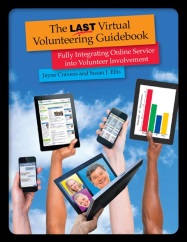
Susan Ellis and I talk more about legal issues and risk management in virtual volunteering in The Last Virtual Volunteering Guidebook, available in print or as a digital version from the Energize bookstore (but note that there are less than 100 copies of the print version left!). The book is the result of more than 20 years of research and experience regarding virtual volunteering, including online micro volunteering, crowdsourcing, digital volunteering, online mentoring and all the various manifestations of online service. It’s packed with examples from a variety of organizations and details on how virtual volunteering works, how challenges are overcome, and how success is measured. It includes

  • Detailed advice on virtual volunteering assignment, including one-time “Byte-Sized” tasks (micro-volunteering / microtasks), longer-term, higher-responsibility roles and virtual team assignments.
  • A thorough look at various practices for screening and matching volunteers to assignments, with an eye to getting the most capable volunteers into your volunteering ranks and preventing incomplete assignments or burdensome management tasks
  • How to make online volunteer roles accessible and welcoming for a variety, diversity of people

Susan and I wrote The Last Virtual Volunteering Guidebook in such a way that it would be timeless – as timeless as a book about using computers, laptops, smart phones and other networked devices could be. It is USA-centric but it offers a lot of international perspectives as well.

Also see:

If you have benefited from this blog or other parts of my web site and would like to support the time that went into researching information, developing material, preparing articles, updating pages, etc. (I receive no funding for this work), here is how you can help


NetAid: 20 years later

October 9th is the 20th anniversary of the NetAid concerts, which launched a web site allowing people to volunteer online to help NGOs & United Nations initiatives all over the world – a web site that still exists and has mobilized many thousands of online volunteers to contribute to what we now call the Sustainable Development Goals.

NetAid started as a joint venture between the United Nations Development Programme and Cisco Systems, and launched with a concert event on October 9, 1999 with simultaneous activities meant to mobilize online volunteers and raise money and awareness for the Jubilee 2000 campaign – in the spirit of BandAid and LiveAid. The NetAid concerts took place at Wembley Stadium in London, England, Giants Stadium in New Jersey, USA, and the Palais des Nations in Geneva, Switzerland. Performers at the concerts included some of the biggest names of the day: Eurythmics, Bryan Adams, George Michael, David Bowie, Robbie Williams, Sheryl Crow, Jimmy Page, Busta Rhymes, Counting Crows, Bono, The Black Crowes, Sean John Combs (then Puff Daddy), Jewel, Mary J. Blige, Sting, Lil’ Kim, Ladysmith Black Mambazo and many more. Cisco sponsored the concerts and the web site, originally www.netaid.org. UN Secretary-General Kofi Annan was an enthusiastic supporter of the initiative.

In an October 7, 1999 New York Times article, Djibril Diallo, then UNDP public affairs director, said ”We want to use the computer to help change how the world looks at poverty and motivate people to help.” He said UNDP began examining ways of combining music, high technology and altruism more than a year before the NetAid concerts. The article notes that the NetAid web site was meant to be “a clearing house of information on the state of world poverty and the agency’s programs as well as a means of raising money.” The article quotes Mark Malloch Brown, then head of UNDP, who said ”The difference between this and earlier concerts is that we created a vehicle for people to come back, not just on the night of the concert with the one check they write. But instead, here’s a site they’re going to come back to time after time.” The article also noted that the web site “will permit groups and people with particular needs to register them in a Netaid database. It will also allow people who are willing to donate particular skills or materials to register them in the database.” After the concerts, in a Washington Post story, “NetAid Catches Few On the Web,” Robert Piper, described as manager of the NetAid site for UNDP, said the main purpose of NetAid was to mobilize volunteers, not money. “We’ve been [complaining] for years about the need for people in the developed world to participate [in aid programs], but they never had the tools to participate,” said Piper. “With the Internet, people can now get emotionally and intellectually involved.

I am asked frequently how I started working for the United Nations. The answer: NetAid. Specifically, to fix the NetAid website and process regarding virtual volunteering. A lot of effort was put into promoting NetAid and recruiting online volunteers – but very little effort was made to teach UN agencies and NGOs how to create assignments for online volunteers and how to support those online volunteers in assignments. Therefore, NetAid floundered. UN Volunteers, an initiative of UNDP, was in charge of the virtual volunteering part of NetAid, and someone at UNV found some of my messages on an online discussion group for managers of volunteers. At the time, I was directing the Virtual Volunteering Project at the University of Texas, and I just happened to be the only expert on the subject of virtual volunteering (thankfully, I’m not all alone anymore!). That UN employee shared my information with others at UNV HQ, and I was recruited, specifically, to work at UNV/UNDP on both NetAid and the UNITeS initiative. And the rest, as they say, is history…

By 2002, the online volunteering part of NetAid had been moved entirely to www.onlinevolunteering.org (like that URL? I’m the one that chose it!) and was entirely owned and managed by UNDP/UNV. And it still is!

Meanwhile, NetAid, which had become a nonprofit based in New York City, tried to find a path forward. It explored the use of videogames for social change, co-founding the Games for Change movement in 2004. In 2004, NetAid co-produced a game with Cisco Systems called “Peter Packet,” which addressed how the Internet can help fight poverty, focusing on issues of basic education, clean drinking water, and HIV-AIDS. By 2006, NetAid had a new focus: to raise awareness among high school students in the USA regarding poverty in developing countries. The different campaigns of NetAid are chronicled through archived versions of its web site, www.netaid.org, available at Wayback Machine. In 2007, NetAid became a part of Mercy Corps and was quickly disbanded.

The onlinevolunteering.org site continues to bring together online volunteers and NGOs, UN agencies to do good things. And the lessons from NetAid regarding virtual volunteering can still be helpful to any tech4good, micro-volunteering initiative starting now. In fact, lessons from NetAid, and many other organizations engaged in virtual volunteering, informed the recommendations offered in The Last Virtual Volunteering Guidebook, available for purchase in paperback directly from me or as an ebook (PDF) by the publisher, Energize, Inc.

two exceptional resources re: donor cultivation

There are two sites that I think are exceptional in talking about donor cultivation and building meaningful, ethical relationships with donors that lead to long-term support. These two resources can help move your program’s mindset away from “Where is that magical list of people/corporations/foundations that might donate to my organization” – which, by the way, does not exist – and, instead, move to creating much more effective, ongoing strategies for attracting support and new supporters. Taking time to read these free blogs once a week is as good as attending any conference or workshop regarding fundraising for nonprofits, non-governmental organizations (NGOs), charities, schools, community projects, etc.

One site is made up of excellent communications / outreach resources from Philanthropy Without Borders regarding donor site visits, empathy and ethics in fundraising and how to make the “big ask” during a site visit. Two of my favorite articles:

Another terrific resource: blogs by blogs by Mary Cahalane (Hands-On Fundraising). Mary has been a very successful fundraiser and believes strongly on cultivating relationships with donors, not just asking for money. She talks a lot about making emotional connections with donors and other supporters and about ethics in managing fundraising staff.

  • Mary also offers this gem from her Ultimate Guide on Donor Experience: We need to avoid focusing on the quick transactions and the shiny objects that are cropping up and begging for our attention. Without proper stewardship of both our donors and the data that represents them, we will never be able to perform our responsibilities and deliver on the promise of our mission.

Also see:F

Dealing with customers with diminished mental capacities

No matter what business you are in, you encounter people with diminished mental capacities caused by dementia, a brain injury, even Schizophrenia. They may be job applicants, they may be applicants to volunteer, they may be attendees to a public event, they may have paid to be a part of a service you have offered, such as a class or a hackathon.

In thinking about customers and clients and public spaces, including online spaces, nonprofits, NGOs, charities, libraries and others need to consider how to balance the priorities of the program and the needs of other clients and customers with the rights of a person with diminished mental capacities who, just like any member of the public, has a right to attend any public events, speak with you in public, come into your lobby to make inquiries, apply to volunteer, apply for a job, comment on your blog, blog about your organization, etc. For me, the boundary is if and when the behavior of someone, for whatever reason, becomes disruptive or they violate the decorum or rules of onsite or online interactions – and that’s a boundary for EVERYONE, regardless of their mental capacities.

I’ve worked in and with nonprofits, in and with agencies focused on international humanitarian work and with people who want to work in these sectors for more than 30 years – I started when I was still at university. This kind of work regularly attracts people who say they want to be considered for work or funding, or want to participate in a program, but who are not capable of such and also have significantly diminished mental capacities.

It’s not always obvious during a first encounter, when the person attends an event and begins asking a question, or calls to set up an appointment, or writes an email asking for information about consulting fees, or even applies for a role: the person may be quite well-spoken, may have a university degree, may be well-read and may have a credible, professional background in a particular field – or seem to. But further conversations reveal the mental issues: a belief that they are freelancing for a major media outlet, a belief that they are in regular contact with heads of state, a belief that a legitimate, credible group has somehow endorsed the work this person wants to do (when, in fact, the group has NO formal affiliation with the person, and either has never heard of the person or actually wants to distance themselves from the person as much as possible), a belief that a certificate of appreciation for attending an event is actually a major, prestigious award, a belief that those they encounter are working for a secret government agency that spies on them, and on and on.

I’ve encountered such people regularly in my work, people who believe they are journalists and asking for interviews with senior staff or high-profile politicians or with celebrities participating in our organization. Or claiming to be experienced humanitarian workers. Or asserting that they have formal connections with a variety of high-profile organizations and government officials. Or claiming that they have a nonprofit or NGO, or are starting such. Or claiming to be the spokesperson for a particular indigenous community or minority group. Or just walking into a conference and then into a workshop and asking questions and joining break-out groups, despite not being registered and having no formal affiliation with any of the subject matter of the conference or workshop. When I realize that the person isn’t who they believe they are or isn’t supposed to be at the conference or event, myself or others are often deeply engaged in a conversation with them – or they are so deeply ingrained in the moment that it might cause a disruption at the event to ask them to leave.

I once attended a conference as the keynote speaker and only after arriving at the venue did I realize, along with other speakers, that the organizer herself was someone of diminished capacity who had put herself deeply into debt renting space and paying for accommodations and travel for speakers and presenters and actually had NO formal affiliation with the organization she had claimed was sponsoring the event. It was a painful experience for everyone, and I learned the importance of always confirming that someone who makes any offer to me regarding a speaking engagement, consultation or interview really is with the agency they claim to be with.

Another time, I accepted payment for career consulting from someone who, according to her résumé and LinkedIn profile, had an excellent academic background and rich professional history that would make her a good candidate for humanitarian work. After several email exchanges, she said that the CIA regularly tracks her communications and she feared I was working for the agency, among other theories. A Google search of old web sites and newspaper articles showed that she really did have the professional background she had claimed, but at some point, her career had just stopped, during a time when she claimed to have gone back to university for another degree, and there were no more listings for her after a certain date on the Internet. I ended up returning her money, wishing her well, saying that I thought it was best we no longer have communications and blocking her email address so that I no longer received communications from her.

More recently, I volunteered with a local citizens’ advisory group that helps local artistic groups and artists with publicity, grant writing and networking. I encountered an elderly woman who wanted advice on proposal writing and had signed up to get assistance via this group. As we talked, I slowly realized she was someone of diminished capacity: she said she wanted to start a nonprofit, but she was vague on what its mission would be, she had no letters of endorsement from those she claimed her nonprofit would help, she has no board of directors, she couldn’t verbalize any concrete goals or steps and she seemed confused at my questions. She continually talked about how she needed office space so she could do her work – work she couldn’t really describe. She also had some unfortunate, quite racist things to say about the people she wanted to help. After some checking later with others, I found out that, indeed, decades ago, she really did have an extensive, international arts background. She definitely knows about nonprofits in general, and how to find the events this advisory group puts on. But her ideas for her nonprofit were unrealistic: she believes there’s a magical grant that will give her office space and office equipment, even though she still isn’t sure exactly what it is her nonprofit will do, and believes artists will become a part of her program, even though she doesn’t know any personally.

I am not a doctor, a counselor, a therapist, a psychologist or a psychiatrist, and I do not want to imply I am in any way. I do know that there are several health factors that can affect a person’s already-diminished mental and emotional capacity, such as age, fatigue and hearing and vision loss. There are other factors as well, such as a particularly traumatic event, grief or depression. I also know that people with mental illness can come from any racial group, any cultural tradition, any economic level or any level of intellectual capacity (they can have legitimate PhDs). While I am not in any business to help people with emotional or mental challenges, I do know that I am going to encounter people facing such challenges in my work – and during activities on my personal time as well – and I need to be prepared for such.

When I have encountered these situations onsite, my approach has been to remember that this person has a right to attend public events, speak with me in public, ask for a meeting, apply to volunteer, etc. (unless it’s a paid conference or ticketed event- just like anyone who didn’t pay to be there, they will be asked to leave and escorted out if necessary). So long as he or she isn’t profoundly disruptive, doesn’t become insulting and won’t monopolize my time or the time of others at the public event or in the public space, I’ll interact with that person, just as I would with anyone. I have ended up involving people with diminished mental capacities as online volunteers: while I knew they had challenges, per things they said on their application and some of our email interactions, I could also see their capabilities, and I was able to find tasks they could do as volunteers – they were never disruptive and one such person in particular was one of the highlights of my early days working with online volunteers.

In situations dealing with people I suspect have some diminished capacities, I sometimes need to be more explicit about setting and sticking to strict boundaries, such as the time I have available for the meeting, or noting that it’s time for someone else to ask a question and that our workshop does not allow anyone to monopolize workshop discussions. I work to be clear and consistent in what I am saying, staying respectful even as I am being blunt: “I appreciate your goals, however, I have spent 20 minutes speaking with you and now this conversation will need to end. I will walk with you to the front door and then you will have to leave, so that I may do the work I have scheduled for today.” Or “Thank you for your comments, but I’m going to have to stop you now, because other people in this workshop need to be able to speak.” I do not encourage any medical or mental health treatment to the person, but I may ask if there is a family member or someone else I can call to transport the person elsewhere, especially if that person becomes tearful or distressed or seems incapable of removing themselves from the premises. If the person has paid money to attend an event or for consultation time, or has made a financial donation, I do all I can to refund that money as immediately as possible.

If the person does become disruptive, such as refusing to stop talking during a workshop, or is trespassing, I will be more blunt. This happened at a conference in Portland, by a person who had wandered into a conference workshop I was leading. I told the person, in front of all the other workshop attendees, as the person rambled on and on, “You will have to stop talking now and you will need to leave. I will call security immediately if you do not.” The person did leave immediately.

I also make sure co-workers are aware of what is happening and make sure everything that happens is documented in some way. Sometimes, this is just an email to another organizer detailing what happened, what action I took, and suggestions for avoidance and, if that doesn’t work, for future encounters. I make sure all staff know what to do if this person attempts to purchase an event ticket, make a donation, register for an event, etc.

Psychology Today has an excellent article, “Communicating with People with Mental Illness: The Public’s Guide” that has a detailed list of strategies for communicating effectively with people with mental illness. The article was posted Oct 19, 2010. The suggestions include:

  • Be respectful to the person. When someone feels respected and heard, they are more likely to return respect and consider what you have to say.
  • If they are experiencing events like hallucinations, be aware that the hallucinations or the delusions they experience are their reality. You will not be able to talk them out of their reality. They experience the hallucinations or delusional thoughts as real and are motivated by them. Communicate that you understand that they experience those events. Do not pretend that your experience them.
  • Some people with paranoia may be frightened, so be aware that they may need more body space than you.
  • Do not assume that they are not smart and will believe anything you tell them.
  • Mental illness has nothing to do with the person’s intelligence level. Do not lie to them, as it will usually break any rapport you might want to establish.
  • Try to limit your interventions to relatively short periods of time, but realize that taking time to try to communicate effectively with the person may save you a lot of time in the long run and help someone in the process.
  • Listen to the person and try to understand what he/she is communicating. Often, if you do not turn off your communicating skills, you will be able to understand. Find out what reality-based needs you can meet.
  • If needed, set limits with the person as you would others. For example, “I only have five minutes to talk to you” or “If you scream, I will not be able to talk to you.”

When you realize you are dealing with someone online with diminished capacities, it can be much more difficult: being online may constitute a substantial part of that person’s time every day, and they may rely on online activities to feel included or important, to make their imaginary nonprofit seem legitimate, etc. It’s much easier for any person to appear credible online. Your program should know what to do if they start to suspect they are having such an interaction:

  • Tell your staff that they need to let their supervisor know if they suspect someone they are interacting with online, or someone writing about your organization online, might have mental or emotional challenges, and let staff know the rest of these guidelines (and make sure they understand them).
  • Do NOT say in any public forum or on any social media channel, or to the person, ever, that you think the person is mentally ill, emotionally challenged, etc.
  • If interactions with any person online are disruptive to your business, or you think at any point someone from law enforcement, a judicial body or the person’s family may need to see these exchanges, or you are going to have to cut off communications with this person because of their behavior, screen capture all communications that illustrate how the person is disruptive and save these for future reference.
  • If you are worried in any way about this person escalating their communications and actions to the point of being disruptive or dangerous, have a staff member search online to see if this person has caused issues for other organizations. Searching for the person’s name on Google and Duck Duck Go, as well as on YouTube, will probably be enough to reveal such, but you may need to add words to that search – just the word complaint or words that the person uses frequently in their online interactions with you can lead to the specific information you need to see that you are not the first program targeted. Screen capture any examples you find of this person behaving this way with others (and don’t be surprised to find that you aren’t the first target of this person’s fascination or ire). You may want to discreetly reach out to those earlier targeted organizations and individuals, to see how they handled being targeted by this person and if the situation died down, was resolved, etc.
  • It may be best to not respond at all to blogs they write about your program, or what they write on their own social media channels about your program – but you need to screen capture those references to your organization and your staff for future reference.
  • It may be best to stop engaging with the person – not to reply to their emails, not to reply to their online comments, etc. You need to save those communications for future reference, if needed. You may want to simply stop replying without explanation or you may want to say, “We appreciate the time you have taken to share your viewpoints about our work. We have responded as much as we think is needed and, In the interest of staying focused on our work, we are going to stop replying to your emails.”
  • It may be best to block the person from your online community, not publish the person’s comments on your blog, remove comments from the person on your Facebook page, etc. You may need to go even further and block the person entirely on social media channels so that they cannot see your posts – but know that they can simple create a new account and view your public information from that new account. Know that blocking someone entirely might escalate the person’s hostilities or anger, as they will be able to see that you have blocked them.
  • You may need to let your entire staff and all of your volunteers know about the situation, if they are seeing this person’s posts on social media, on a blog the person owns, on other organization’s blogs, etc. Be very careful in your communications with staff regarding your choice of words to describe the person. An example of how you could communicate this situation in a meeting, “Some of you have noticed that there is a person producing videos about our organization where he says that our Executive Director is engaged in illegal behavior. We are aware of these posts. We ask you to please never interact with this person online, never comment on anything this person says online, and please do not to have any conversations with anyone about this person online. If you see this person doing something online that relates to our organization, please notify such-and-such. If you are worried in any way about this situation, please notify such-and-such.”
  • Once interactions get to the point of screen captures, muting or blocking, notify at least one board member and, if it’s not that person, your nonprofit’s legal counsel, about what is happening. The likelihood of this escalating to legal action is minuscule, but you do need to cover your bases.

Hootsuite has an excellent blog about dealing with online “trolls” – people who “deliberately provoke others online. By saying inflammatory and offensive things. They live to make people upset and angry.” I think that most such people are dealing with diminished mental and emotional capacities. One section of the blog asks, “Troll or upset customer” and notes that it can be hard to tell, as “Both might appear irked, perhaps even furious or enraged.” The blog’s advice:

  • Stay calm. Look at the substance of their words. That’s usually the tell-tale.
  • Listen and think about their motivation. Do they appear frustrated, stating a seemingly authentic claim about your business, product or service?
  • Do they seek truth?
  • Or… do they sound outraged, seething and trying to incite rage in your brand or in other users?If so, you’ve got yourself a live, social media troll—an internet misfit, in the digital flesh.
  • For the un-delighted customer, listen to them. They want to be heard. If you address and resolve their issue, they’ll be satisfied and those unhappy messages will cease.
  • But not the online troll. They won’t stop until they’re forced out or get bored.
  • Trolls aren’t looking for resolution. They want to engage in battle, one that nobody can win.

To be clear, while I do think trolls are people with diminished mental and intellectual capacities, I don’t think all people with diminished mental or intellectual capacities are trolls.

The situations I have had talking with people with diminished mental capacities have not turned dangerous or litigious for me (yet), but I always have that potential in mind, however unlikely. I am also thinking about the safety of myself and others at the facility or within the organization where I am working. The importance of having other people around during onsite conversations and encounters, and having screen captures of online encounters that your board, other staff or legal advisors could reference if needed, cannot be stressed enough.

If I see the person somewhat regularly, know them by name, etc., and I perceive a progression of behaviors that I believe could lead to violence, such as yelling or crying, I will contact a family member or friend the person has identified to me to come help in the situation. I would call the police if the situation had the potential to become dangerous for anyone, including the person I’m talking with.

One thing I do NOT do is “kick the can down the road” – as in suggest to the person that the person go to another nonprofit or consultant because it is my hope that this will take the person’s attention off of me. I may recommend another organization if I think the experience might help the person understand that, for instance, they will not be able to get funding for a nonprofit they are dreaming of building, or that they are not going to get support to go to another country to do work they’ve always dreamed of.

If your nonprofit has a mission to work with people with diminished mental capacities, such as people who are experiencing dementia, I have a suggestion for a funding source: offer short courses for businesses, government offices and nonprofits in recognizing customers, clients, volunteers and staff who may have such issues. We need this training!

Also see:

If you have benefited from this blog or other parts of my web site and would like to support the time that went into researching information, developing material, preparing articles, updating pages, etc. (I receive no funding for this work), here is how you can help