Tag Archives: tech4good

Transcribe & caption!

Captioning a video, or offering a transcription of a video or podcast, should be a priority for your organization. Why?
    • Many people that don’t have time to watch that video or listen to that podcast DO have time to read the transcript.
    • Many people are in an environment that would not allow them to listen to a podcast or online video (their surroundings are too loud, they would disturb people around them, they can’t use headphones or ear buds for some reason, etc.).
    • Many people want to quote from a video or podcast in something they are writing (and if that’s online, that quote will often link back to the original broadcast).
    • A person may just need very specific information, and a text search makes that information oh-so-easy to find.
    • Some people prefer reading to listening or watching (I’m one of those people); they are much more likely to access your information in text form than a video or audio.
  • And, of course, so people with hearing impairments can access the information.
In short, you greatly increase the number of audience members for a video or podcast, reaching more potential donors, volunteers, clients and others, by captioning a video or offering a transcription of a video or podcast. At minimum,
  • Any video or audio training materials you have should be captioned and/or transcribed.
  • All PSAs you want to be distributed widely should be captioned and/or transcribed.
  • Videos and podcasts that are part of your service delivery should be captioned and/or transcribed.
Think you don’t have the resources to caption or transcribe a video or podcast? You do: volunteers. There are online volunteers who would love to transcribe your audios and videos. These volunteers may have speech recognition/voice recognition software that they can use to convert spoken words to text, or they may be willing to listen and type. Either way, you will want volunteers checking up on other volunteers’ transcriptions and captioning, to ensure information is rendered correctly. Keep such volunteer transcribing assignments small: you might have trouble finding a volunteer to transcribe a two-hour-long panel discussion, but it might be much easier to find someone to transcribe just a 10 minute excerpt. If a video or podcast is particularly long, you could divide the transcribing or captioning job up among several volunteers. You might even be able to find a volunteer who would happily lead up the entire project for your organization – leadership volunteering opportunities are highly sought by many people these days! Recruit these volunteers from among your existing volunteers and their networks, via your web site, via VolunteerMatch and AllforGood if you are in the USA, Idealist and whatever resources are available in your country, or, if you are in a developing country or your NGO or nonprofit is focused on such: the UN’s Online Volunteering service. December 21, 2017 update: I recently created a five-minute pitch video for the OpenAIR hackathon – the Accessibility Internet Rally – for Knowbility, a nonprofit based in Austin, Texas (I’m in Portland, Oregon). I also used the YouTube captioning tool for the first time ever – I couldn’t believe how easy it was! If I can figure it out, anyone can – including online volunteers you might recruit to caption all of the videos your nonprofit has on YouTube already.
cover of Virtual Volunteering book with hands raising up various Internet connected devices
A reminder yet again that The Last Virtual Volunteering Guidebook provides detailed advice on creating assignments for online volunteers and for working with online volunteers, including volunteers that are going to transcribe or correct the transcriptions of your videos or podcasts. The book also has detailed guidance for using the Internet to support and involve ALL volunteers, including volunteers that provide service onsite, for ensuring success in virtual volunteering, and for using the Internet to build awareness and support for all volunteering at your program. Tech tools come and go, but certain community engagement principles never change, and those principles are detailed in this comprehensive guide. You will not find a more detailed guide anywhere for working with online volunteers and using the Internet to support and involve all volunteers. It’s co-written by myself and Susan Ellis. Tags: volunteering, volunteers, community, engagement, volunteerism, volunteering, online, micro, microvolunteering, virtual

TweetChat re: virtual teams on July 11

TechSoup will host a TweetChat on 11.July at 10am Pacific USA Time regarding working with virtual teams.

Also known as distributed teams, virtual teams have come together for a day, a week, many months or even years to work on a project together for a nonprofit, an NGO or other mission-based organization. Your organization may already be involving a virtual team now and not even know it:

  • a committee with members who discuss and plan online rather than at onsite meetings
  • a mix of volunteers and employees collaborating on the development of a new online tool
  • a group of volunteers around the world working together to develop an HIV education curriculum

I’m particularly interested in this topic, as I’m currently revising the Virtual Volunteering Guidebook – specifically, I’m revisiting yet again this week the chapter that addresses the subject of virtual teams, a subject that did not appear in detail in the original book. I have been compiling resources and case studies on the subject for quite a while now, and want to make sure the chapter that includes this subject addresses all the fundamental elements required for virtual team success, no matter what online tools you may use with such a team. Woe to the volunteer manager – or any nonprofit professional – who does not know how to work with virtual teams!

You can watch the TechSoup event on Twitter as it happens on July 11 (and even participate!) or look in to the archive of the chat later. Here’s more info from TechSoup on how to participate.

I have more details about live tweet events here on my web site, on this page about using micro-blogging, in case you are wondering what this will event will really look like.

Follow me on Twitter @jcravens42, and follow @TechSoup as well, so you will stay up-to-date about this and other events to help build the capacity of nonprofits, NGOs, libraries, and other organizations that involve community members to meet their goals.

Tags: volunteering, volunteers, community, engagement, international, volunteerism, volunteering, collaborative, collaboration, virtual, teams, staff, employees

People with disabilities & virtual volunteering

I said it back in the 1990s, and I’ll say it again: Online volunteering / virtual volunteering can allow for the greater participation of people who might find volunteering difficult or impossible because of a disability. This in turn allows organizations to benefit from the additional talent and resources of more volunteers, and allows agencies to further diversify their volunteer talent pool.

In addition, ensuring that your volunteering program – online or onsite – is accommodating for people with disabilities will end up making your program more accessible to everyone. For instance, if you make sure your online training videos have captioning, don’t be surprised when people who have no hearing problems at all thank you, since they can mute the video and watch it at work or in a public area without disturbing people around them.

People with disabilities volunteer for the same reasons as anyone else: they want to contribute their time and energy to improving the quality of life. They want challenging, rewarding, educational service projects that address needs of a community and provide them with outlets for their enthusiasm and talents.

I was reminded of this recently when a fantastic testimonial from Alena Roberts for the Matilda Ziegler Magazine for the Blind was recently reposted to Inclusive Planet about online volunteering / virtual volunteering.

Here are 11 people’s testimonials about how virtual volunteering allowed them to volunteer, despite their disabilities, compiled by the Virtual Volunteering Project, that remain as powerful as when they were first-published back in the late 1990s.

I told this story back in April 2009, but it’s a good time to repeat it now:

Back in the late 1990s, when I was directing the Virtual Volunteering Project, I recruited and involved online volunteers myself to support the Project, feeling that it would be inappropriate to offer advice to other organizations to involve online volunteers unless I was engaged in the practice myself. The only recruiting I did was via the Project’s web site, on a page that was purposely not easy to find; online volunteers were oh-so-easy to recruit even back then, and by making the page harder to find, I regularly received applications from candidates who I knew were actually reading my web site.

One day, an application came in from a guy I’ll call Arnie. It was clear from Arnie’s application that he was… different. His answers to questions on the application were child-like (though everything was spelled correctly), and didn’t at all sound like they were coming from a man in his 40s (he shared his age despite my not asking for it). Among other things, he said that what he wanted to do most as an online volunteer was to share images and messages from the Virgin Mary, a skill set that I didn’t really have a need for at that time… But I kept reading Arnie’s application and thinking, well, while I know this person is very likely mentally disabled based on his answers, he spells just fine and he’s REALLY enthusiastic. There’s really no reason to say no outright. I’ll put him through all of the regular online screening steps and give him a trial assignment and see what happens, just like I do with all volunteers.

Unlike most other online volunteering applicants, Arnie followed all of the directions on the online orientation immediately, to the letter, and within just a couple of hours rather than a couple of days. I don’t remember what the first assignment was that I gave him, but just as the directions in the online orientation stated, he wrote back (within probably an hour) and said that he didn’t feel he could do what was asked for, so could he please have a different assignment? I think the revised assignment I sent him was regarding a list of names of people who had given me their business cards at conferences, but back in the 1990s, many people didn’t put their email addresses and web site addresses on their cards. I asked him to use Google to find that information for me, if possible. The next day, the finished assignment was waiting for me, with profuse apologies for each person he couldn’t find online, and a request for a new assignment.

I slowly became a bit obsessed with trying to create assignments for Arnie. He could do only basic things online, like looking up information, and he needed explicit directions on how to do every task, but he was SO enthusiastic about it all. I started saving things for Arnie to do that I could have done myself in far less time than it would take him to do. For each assignment he always wrote back promptly if he thought an assignment was too difficult, or wrote back to say how happy he was at the assignment, how excited he was to do it, etc.

I think Arnie’s favorite assignment was when I asked him to visit 20 or so web sites that were supposed to be targeted at children; I was putting together a list of things online mentors and young people could do together online, and I wanted to know if these web sites were worthwhile. A paid consultant could not have provided the thorough, brutally honest assessments that Arnie did. Things like

I did not like this site at all, Miss Jayne. It was confusing! I did not know how to use it! It is a bad web site for this reason.

    • or

I liked this site very much, Miss Jayne. It was fun! I showed it to my mother. She thought it was fun too.

I was starting an online mentoring program at a local elementary school in Austin, and I invited all the online volunteers I had worked with to apply to be online mentors. Arnie was probably the first applicant. At first, my reaction was: he can’t do this. I have to tell him no. But then I kept thinking about it — *why* couldn’t Arnie talk online with a 10 year old? His tone would actually be perfect for a 10 year old. They would never know each other’s real name or be able to contact each other outside the web platform we would use for online exchanges, every message he sent would be screened, just like the other mentors. Why not let him go through the whole application process and see if he makes it? So, I did.

Among the screening required was two references who could attest to the candidate’s character and communications abilities. One of Arnie’s references was his doctor. When I called for the reference check, the doctor said, “Are you the Miss Jayne?! I’ve heard about you for a year now! Arnie lives to volunteer with you! It’s changed his life!”

I’m glad I was on the phone, so he couldn’t see me crying.

Arnie survived the screening process and was a wonderful participant in the program. His emails to his student were always perfect, full of questions and enthusiastic comments, written in short, simple sentences. The only thing I ever had to do was ask him to revise an email that had a religious reference in it, not as in “I went to church this weekend and it was fun,” which would have been fine, but as in “I hope you are praying to God every day!” Arnie quickly understood why that was inappropriate once I explained it to him, and it never happened again.

After more than a year of working together, Arnie wrote to say that he would need to take a break from volunteering, because he was getting “too full of worry” when he did assignments. I wrote him after a month saying that I hoped he was doing well, and he wrote back a lengthy, somewhat rambling apology for “letting you down.” I wrote him again to say that was NOT the case at all, wrote lots of encouragement and thank yous, etc. When I didn’t hear from him after a few months, I called his doctor, just to make sure he was okay. He was, but his doctor said he probably wouldn’t be using email anymore, that it had become too overwhelming for him. Sadly, I never heard from Arnie again.

What did I learn from all this?

I became a better volunteer manager for all volunteers because of Arnie. My descriptions of all tasks for volunteers became much more detailed and explicit. I better emphasized to volunteers that the time to drop out of an assignment was right at the start, and that there will be no hard feelings for doing so before the commitment has begun. I started reserving a diversity of tasks specifically for volunteers, and for my own list of tasks, I would always ask, could volunteers help me do any of this? I tried to identify a range of very simple starter assignments, so that new volunteers would not feel overwhelmed — or, if they did, they would know that online volunteering was not for them very early on. I look very much into what a volunteer can do, not what limitations a volunteer may have. I also learned that everyone, people with disabilities and otherwise, screen themselves when it comes to assignments, and it’s rare that someone will ask to volunteer for a task they are unqualified to do.

Since Arnie, I’ve worked with other volunteers with disabilities, though often, I haven’t been aware of such, since online volunteering often masks any disabilities a person may have. I can judge people online only by their abilities, rather than their appearance, if I stick to text-only communications.

When I’m working at a nonprofit organization, I involve volunteers not to save money, not to do what I can’t pay staff to do, but rather, to involve the community in the work of my organization, to create an army of advocates for our work, and to make my work more interesting with input from many more people. I’ll continue to strive to create inclusive programs, not only because it’s the right thing to do, but because, in the end, it helps me be a better contributor.

2014 update:

vvbooklittleThe influence of this experience, and many others, as well as extensive research, can be found in The Last Virtual Volunteering Guidebook. This book, which I wrote with Susan J. Ellis, is our attempt to document all of the best practices of working with online volunteers, from the more than three decades that virtual volunteering has been happening. It’s available both in traditional print form and in digital version. If you read the book, I would so appreciate it if you could write and post a review of it on the Amazon and Barnes and Noble web sites (you can write the same review on both sites).

There’s also The Virtual Volunteering Wiki: a free resource featuring a curated list of news articles about virtual volunteering since 1996, an extensive list of examples of virtual volunteering activities, a list of myths about virtual volunteering, the history of virtual volunteering, a list of research and evaluations of virtual volunteering, a list of online mentoring programs, and links to web sites and lists of offline publications related to virtual volunteering in languages in other than English.

And there’s also our LinkedIn Group for the discussion of virtual volunteering.

Also see: Safety in virtual volunteering

Short-term tasks for tech volunteers

There are a variety of ways for nonprofits, non-governmental organizations (NGOs), schools, government agencies and other mission-based organizations to involve volunteers to help with short-term projects relating to computers and the Internet, and short-term assignments are what are sought after most by potential “tech” volunteers. But there is a disconnect: most organizations have trouble identifying short-term tech-related projects.

Back in 2005, myself and by members of TechSoup Global’s Volunteers and Technology online discussion group brainstormed a list of short-term projects for tech volunteers. I’ve added a lot to it over the years – and just updated the list yet again this week.

These one-time, short-term volunteering assignments might takes a few days, a couple of weeks or maybe a month to complete. But each has a definite start date and end date, shouldn’t go on longer than a month (maybe two) and does not require a volunteer to make an ongoing commitment to the organization – once an assignment is done, the volunteer can move on to another assignment, or stop volunteering with the organization altogether.

There are also many long-term, ongoing assignments for tech volunteers, of course, such as web design, web site management, being on-call for tech problems, backing up systems, producing live online events, etc. But before an organization involves volunteers in such high-commitment endeavors, the organization should consider creating a few short-term assignments, to get used to working with tech volunteers and to help staff identify the best candidates for longer-term assignments.

Tags: volunteering, volunteers, episodic, microvolunteer, microvolunteering, engagement, engage, community, outreach, staff, employees, civil society, technology, help, IT, ICT, ICTs

Nonprofits & Tech Discussions – Jump In!

Share a resource, ask a question, or offer your own thoughts about any of these hot topics relating to nonprofits, NGOs, libraries, schools and other community-focused initiatives over on the TechSoup Global Community Forum. Here are four threads on TechSoup that I’m watching in particular:

Tags: communications, public relations, engagement, engage, community, nonprofit, NGO, not-for-profit, government, library, libraries, school, schools, outreach, innovation, non-traditional, innovative, staff, employees, volunteers, civil society, social media, technology, microblogging, microvolunteering, micro, volunteer, volunteering

Social media realities for Friday

logoSome resources, stories and events regarding social media that will help you balance all the hype with the reality of using such:

  1. TechSoup’s final live Twitter chat in its Nonprofit Social Media 101 (NPSM101) series is Monday, May 23 at 9 a.m. Pacific Time USA. Join in for a lively discussion on the value, ways to use, and best practices in tagging. Tagging is used in almost all major social sites, including 5 of the 6 TechSoup features in its newly launched NPSM101 wiki (Flickr, Delicious, YouTube, Twitter, and Facebook). Thinking about how to tag your messages and photos will substantially increase the number of people viewing your online activities – and, ultimately, getting involved in your organization. You participate in this TechSoup Twitter Chat by following the tag #nptagging on Twitter, and including that tag in any of your own questions or responses during the event. You can also follow on this Tweetchat.com link. A Twitter chat event an intense experience, but I have enjoyed my participation in two of the last three TechSoup events way more than I thought I would.
  2. Few charities are raising significant amounts of money via social media, says a recent study regarding such. Fewer than 3 percent of the survey’s 11,196 nonprofit respondents reported raising more than $10,000 through such tools. Does that mean nonprofits, NGOs and other mission-based organizations engaging in social media isn’t really worth the effort? No. But it does mean that we need to stop talking about social media the way so many talked about the web back in the 1990s – that just having a presence will be a financial windfall. Donations come from cultivation, trust-building and proven results that an organization is getting results. Social media needs to be used strategically, and should be integrated into a variety of other, OFFline activities.
  3. By posing as a savvy junior analyst or a graduate student seeking sources for a paper, some people have been successful at building relationships with employees at certain companies and getting those employees to divulge sensitive information, as this story relates. I find it amusing that people ask me endless questions about Internet security related to protecting their nonprofit organization from a hacker, or preventing volunteers from violating confidentiality policies while never wondering if paid staff might do the same, but they never think about this very real scenario: staff willingly handing over information in a kind of online seduction. Confidentiality is an onling training issue, one that needs to be revisited repeatedly at organizations, and this proves it.
  4. Social media will be used against you. That’s one of the statements by an organizer of the Social Media, Internet and Law Enforcement conference in Chicago. Police have been using social networking sites to identify and investigate suspects, but now criminals are using such sites to identify and investigate law enforcement officers, including undercover police. In addition, hostage-takers and suspects who barricade themselves in buildings are monitoring social media to track police movements in real time, and gang members are launching their own surveillance operations targeting police. Nonprofits, NGOs and other mission-based organizations often have activists working against their work as well, and need to remember that those program saboteurs are also online.
  5. The U.S. State Department has quietly abandoned its America.gov site to refocus its efforts on social media. And I think it’s a bad idea. Not the social media part, but the abandoning the web part. Embrace social media – but do NOT get rid of your web site!

Happy Friday, everyone.

accessibility training May 17-19, 2011 in Austin

John Slatin AccessU, a web accessibility training institute by Knowbility.org, is next week. AccessU “allows attendees to engage with world renowned accessibility experts to improve design skills and to understand both the need and the techniques for inclusive IT design. From the basics to the bleeding edge, AccessU will provide the resources you need.”

John Slatin AccessU
May 17 – 19, 2011
St. Edward’s University
3001 South Congress Avenue
Austin, Texa

Courses include:
Introduction to Accessible CSS
Advanced CSS for Accessibility
Social Media with Accessibility in Mind
Web Accessibility from the UX/Usability Perspective
Establishing a Corporate Accessibility Initiative: A Case Study
Planning a Usability Test with Disabled Users
Video Captioning
HTML5 and Accessibility
iPhone/iPad Web and App Accessibility
PDF Accessibility: Seeing the Forest Through the Tag Trees
Accessible WordPress Theme Development
Web Access: Legal Update
DreamWeaver Accessibility
Rebirth of Slick: Why Design Is Cool and Why It Will Make People Love Your Company
Accessible Office 2007
Everything You Know about JavaScript and Accessibility is Wrong
Success in an Accessible E-Learning Environment


Complete list of courses and presenters, and all info, here.

Improving Lives in Rural Communities with ICTs?

May 17 will mark World Telecommunication and Information Society Day (WTISD). To celebrate, NetSquared is using this year’s theme, “Better Life in Rural Communities with ICTs,” to guide the Net2 Think Tank question for May!

NetSquared (Net2) is gathering examples of and ideas for communications technologies – phones, smart phones, computers, Internet, etc. – improving lives in rural communities. Entries will get pulled together for the next Net2 Think Tank Round-Up.

How is your initiative bridging the information divide and what are your tips for others? What are your tactics and best practices for helping rural communities using computer, Internet and mobile technology? And which projects are already doing this well? Share your projects and ideas with the NetSquared Community! Deadline: Saturday, May 21, 2001.

How to contribute:

The roundup of contributions will be posted on the NetSquared blog on Monday, May 23rd.

Net2 Think Tank is an initiative of TechSoup Global. It is a monthly blogging/social networking event open to anyone and is a great way to participate in an exchange of ideas. Net2 posts a question or topic to the NetSquared community and participants submit responses either on their own blogs, the NetSquared Community Blog, or using social media.  Tag your post with “net2thinktank” and email a link to Net2 to be included. At the end of the month, the entries get pulled together in the Net2 Think Tank Round-Up.

Some things I’ve written related to the subject of phones, smart phones, computers, Internet, etc. – improving lives in rural communities:

Tags: ICT4D, net2thinktank, NetSquared, access

Photos of Online Volunteers Wanted

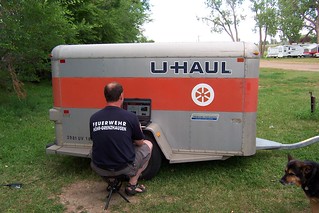
Camping and surfing in North DakotaI’m looking for photos of people who help nonprofit organizations, non-governmental organizations (NGOs), grassroots organizations, schools, or other civil society organizations (CSOs) via a computer at their homes, their work, a computer cafe, a cell phone/smart phone — as a volunteer (that means unpaid, NOT as a paid staff member or paid consultant).

You know: online volunteers. Virtual volunteering. Online mentoring. Cyber service. Microvolunteering. Crowd-sourcing. Clowd computing volunteering. Whatever the hot new term is.

I need photos of people who research information, design web sites, databases or graphics, prepare proposals, edit documents, translate text, offer professional advice, moderate online discussion groups, contact the press write newsletter articles, manage web sites, manage Flickr accounts, edit podcasts or online videos, or any other activities to help organizations that support causes those people believe in – but these people perform their service as a volunteer (unpaid!) from a remote site.

Why? I want to feature them at this Flickr Group, “Online Volunteers.”

These don’t have to be volunteers who help ONLY via the computer; most online volunteers also help onsite as well. So if the volunteer helps only half the time, or a quarter of the time, online, that’s fine! It still counts!

Photos or video of online volunteers should be taken either via your webcam or with the computer or other Internet device you use somehow visible in the photo, to give it that “Internet” feel. ALSO, describe what you do as an online volunteer, including either the name or a description of the organization(s) you support. If you really can’t work a computer into the photo, then at least make the description ultra-obvious about why you are submitting the photo.

ALSO, please tag your photo “online volunteer.”

Submit the photos directly to the Flickr group for online volunteers– which means you will need a Yahoo ID. If you don’t already have such, and don’t want one, you can send ONE photo to me, via email, however, please clearly note in your email who you are, why you are sending the photo, etc.; blank emails, or those with sketchy descriptions, will be discarded without viewing (to protect myself from computer viruses). Photos that don’t clearly represent online volunteers will be rejected.

Please forward this message to volunteers you work with, or anyone you think might be interested.

Goal: to show the diversity of online volunteers out there. The practice of online volunteering is more than 30 years old. I want to show just what a HUGE group of people volunteer online, and have been doing so for a long while now!

Another person’s take on microvolunteering

The most popular blog I’ve ever written was Microvolunteering is Virtual Volunteering. It was my effort to make sure those who really care about quality volunteer engagement continue to advocate for volunteering, no matter what form it takes, to be results-oriented and beneficial to both the organization and the volunteer – whether it’s volunteering that takes just a few minutes, or just once with an organization, or over months, or over years.

Orange in the U.K. has jumped on the microvolunteering bandwagon, creating a smart phone application that is supposed to allow people to microvolunteer. But many of its claims regarding what microvolunteering is and what it can do are outlandish. Luckily, I don’t have to write a blog debunking their claims – this blog which does an excellent job of doing so, in much kinder terms than I usually use.

I’ve said it before and I’ll say it again: microvolunteering can benefit – and has benefitted – many organizations. But it’s also not worth the enormous amount of prep and supervision time required for many organizations, just as one-day group volunteering events aren’t always worth the prep time and supervision for many organizations.

The first step in deciding if microvolunteering / episodic volunteering, group volunteering, teen volunteering, family volunteering or any other specialized volunteering is right for your organization is for your organization or program to think carefully about what is in it for you, the organization or program. What benefit are you looking for? Volunteering is never just to get work done. Instead – or in addition – volunteer engagement is about:

  • measurable results regarding participant or community awareness of a particular issue, program or your organization
  • candidates for longer-term volunteering in more substantive activities regarding service delivery
  • cultivation of donors
  • activities that fulfill your organization’s mission (the group volunteering experience results in activities that reach part of your organization’s mission)
  • reaching diverse audiences you aren’t reaching, or aren’t reaching well, otherwise

And the second step is thinking about how you will know if you are achieving these results! Those two steps are critical before ever embarking on volunteer engagement, no matter what kind of engagement you are thinking about!