
My tech: the networked
technology tools I use
(& hope this helps
others)
My tech: the networked
technology tools I use
(& hope this helps
others)
I'm an independent
consultant, a one-woman shop, with sporadic work. I don't
have the funds to buy the very best, very latest computers,
tablets, and smart phones every few years. Plus, I hate the idea
of throwing so much away. My goal is always to use a device for
at least five FULL years - seven is what I prefer. Yet, I've
made a name for myself regarding using the Internet to
communicate effectively, to be an integral part of a nonprofit
organizations' mission-based work, to work remotely and to
supervise others remotely, to support and manage volunteers (virtual volunteering),
and to engage community - not just advertise activities. It just
goes to show how much you can do without having the very latest,
expensive tech.
So, how do I do all of my work on such a strict budget? I put together this page to share how I do it, to help others who are also on a strict budget.
 |
My phone: Motorola Moto G8+ plus 4/64GB. Purchased on Sep 13, 2020 Android OS, v106.3” Touch Screen Display 64GB, 4GB RAM International GSM Only - Will not work on CDMA carriers like Sprint and Verizon. And I guess all the same stuff as the phone I had before. I was perfectly happy with my previous phone. But, as I noted below, the phone stopped working in 2020 for reasons I won't repeat. As noted earlier, Tracfone service doesn't work outside the USA, and neither it nor GoogleVoice allow for international texting, but using the Internet, I have no problems outside the USA using Google Voice or calling or texting via Telegram or Signal or whatever, so I'm fine with a phone like this. Other apps I had on it: Evernote, Bluemail (webmail), Slack, Signal, Telegram, WhatsApp, Skype, Twitter, Flickr, Facebook, Instagram, Chromecast, HotSpot Shield, Google Calendar, the Washington Post app, various airline apps, GoogleNews, mass transit apps, Lyft, Google translate, Scrabble, DropBox, LibreOffice, and PulsePoint, an app so I can see the nature of local firefighter calls. Not using Facebook messenger on this phone. I also use it to take photos and video, which I edit on whatever my latest laptop is. It's been a great phone - though I liked my previous
phone better, both because of the size and because I
liked the camera placement better. But otherwise, I
have loved this phone. And, after having it barely a
year - apparently, I have to get rid of it. Because
Tracfone says it's not going to work after February
2022, because AT & T won't let it. I am so pissed,
I could scream. |
|
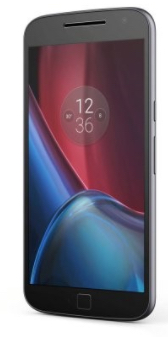 |
My former phone: Motorola Moto G4 Plus XT1642
16GB Black, 5.5", Dual Sim, GSM Factory Unlocked
International Model, No Warranty. Android OS,
v6.0.1 (Marshmallow) It was surprisingly simple to activate it using the Tracfone BYOD system. Downsides: (1) it will not work via BlueTooth with my computer, so any files I need to transfer, I have to use a wire. (2) I wish it was the physical size of my previous phone. This phone stopped responding to the touch screen.
The phone store guy said that something inside of it
was damaged by water. He asked if I had been in a lot
of rain, and I had, two months previously, on a
motorcycle trip through Mexico, but I just don't see
how it could be damaged in just one place inside, two
months later. But, alas, it was. |
|
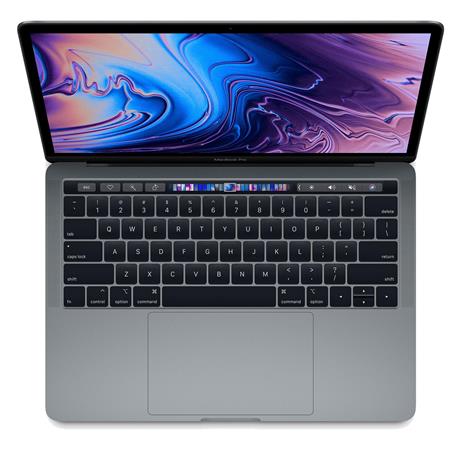 |
My primary computer: MacBook
Pro 13-inch (2019, Four Thunderbolt 3 ports,
2.4 Quad-Core Intel COre i5 Processor, 8 GB 2133 MHz
LPDDR3 memory). Bought in early January 2020. Running
whatever the latest OS is. But has only 250 GB - and I
have just 40 GB left after deleting some huge PDFs
from previous employers and some duplicate videos. I
use it for everything: my work and my personal
life: to access email, create and edit documents,
spreadsheets and presentations (I use LibreOffice),
create and alter graphics (I'm no graphic designer,
however), talk on VoIP like Skype (audio-only or
video-conferencing), surf the web, manage my web site
(I'm now using Cyberduck for FTP), interact on social
media, work on shared files in the cloud (Google
Drive, BaseCamp, Slack and whatever online spaces I'm
asked to use for work), create and edit videos and
audio files, listen to music, lead and watch live
webinars (usually via Zoom), create and distribute
surveys, stalk Benedict Cumberbatch, plan vacations,
and anything
else one does with a device connected to the
Internet. I do not plan on it leaving my home.
Downside: the key faces started wearing off within
four months of purchase. Good thing I took typing and
know which keys are what. |
|
 |
My travel computer from 2016 through 2019: A
used, refurbished Acer 1830T-3505, 11.6 inch,
originally sold in 2010, running Linux Mint as its OS.
Yes, that's right - not a Mac! I bought it for $100
from the amazing Phil Shapiro, who
has been writing about technology access and low-cost
software tools since 1992 and who I've known online
since the late 1990s. I needed a simple laptop just to
take on the road, to access email, Google Drive,
Basecamp, Slack, etc., that I wouldn't be heart-broken
and financially devastated if it got broken or stolen,
and I had very little money to spend - I posted to a
few communities about my need for a used computer and
Phil came through (check out his popular video, "My $20 eBay Laptop"). I use
LibreOffice on it for word processing, spreadsheet
work, presentations, etc., I check email, work on
Google Docs, Basecamp, Slack, etc. I can't do Zoom
video conferencing on it - I use my phone for that
when I'm on the road. I also can't do any graphic
design or video editing on it, but when I'm traveling,
I don't do those things anyway. I can watch YouTube
videos on it - and hear them (it does have a sound
card). I realized I needed to retire my 2013 MacBook
when I realized just how much faster this old computer
had become than that high end Mac. I love this little
computer. Only issues: sometimes, it cannot access
wireless networks, because the wireless network won't
allow this old of a computer, running Linux, on the
network (this was the case in goddamned Microsoft
corporate office in Austin, Texas - the IT person
looked at it and all but said, "Hell, no."). |
|
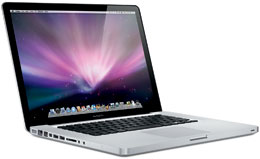 |
My computer from 2013 through 2019: MacBook
(laptop - 2.3 GHz Intel Core 2 i7), with 500 GB of
storage, last running Mac OS X 10.15.2 (Catalina).
It's actually a 2012 computer that was refurbished. I
bought it from Apple. I have used it longer than any
other computer and have used it for everything:
to access email, create and edit documents,
spreadsheets and presentations (I use LibreOffice),
talk on VoIP like Skype (audio-only or
video-conferencing), surf the web, manage my web site
(used an FTP program with the WaterFox browser until
Catalina came out - not compatible), interact on
social media, work on shared files in the cloud,
create videos and edit videos and audio files, listen
to music, work offline, work online, lead and watch
live webinars (WebEx, ReadyTalk and Zoom), create and
distribute surveys, support online volunteers,
volunteer online myself, stalk Benedict Cumberbatch,
plan vacations, and anything
else one does with a device connected to the
Internet. It didn't leave my home office - it
went on visits to different rooms of my home only. I
bought the only IBM-clone I have ever owned as my
travel computer (see other entry), because I didn't
want to take this out of the house. I loved the huge
screen and the massive amount of storage, neither of
which my latest computer has. But I had to retire this
computer because the processor is really struggling -
even cutting and pasting would call up the spinning
wheel of wait. It freezes often. It started to run a
BIT better when I upgraded to Catalina, but I don't
think it can upgrade beyond that. The battery also
holds only about 90 minutes of charge anymore. I used
this so much, many of the keys no longer have letters
on them. I donated it to a nonprofit computer
refurbisher in Portland. |
|
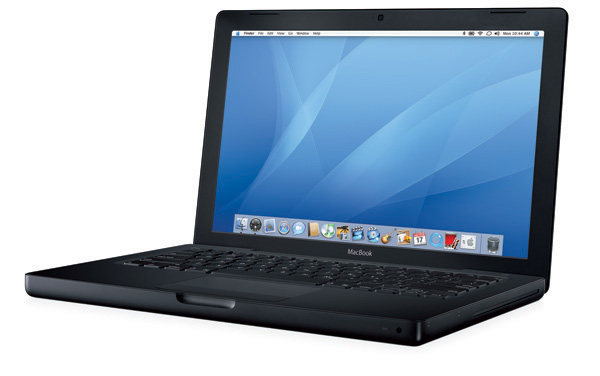 |
My computer from 2008 to 2013: MacBook
(laptop - 2.16 GH Intel Core 2 Duo), running Mac OS X
10.6.8. From 2008 to 2013, I used it for almost
everything I use whatever computer I am using now, but
it never could run several programs at once well. I used it to create and edit
videos, podcasts, and to create and manage
databases (I used FileMaker Pro), as well as video
conferencing, play on Second Life once a year, and
all the other usual stuff. I tried
to use it as my travel computer when I bought a newer
computer in 2013, and even used it as my work computer
in Ukraine in 2014, but by 2015, it was too slow to do
even offline things (like work on OpenOffice docs) so
I had to retire it from all use except for running
programs that don't run on whatever I'm using now (I
do something need to open and use an old file,
particularly old media files). IMO, it can't be
upgraded beyond 10.6.8. Google Chrome was working on
it better than anything other program. It works best
when I don't have it connected to the Internet,
playing music and podcasts downloaded to the computer.
I also have had to use it access and resave old videos
and audio files into something I can use on a newer
computer. |
|
 |
I still have a lime iBook
clamshell laptop running OS 9. It was my primary
computer from 2001 through all of 2007. It was
tough, reliable, did everything I needed it to do, ran
lots of programs at the same time, I used it to watch
movies when I traveled, it restored my faith in Apple,
and people would STOP to admire it in airports and
hotel lobbies and at conferences. I still use it to
listen to music, and to run software that does not
work on my latest computer (like old data files that
have some info that I can't find anywhere else). I
could still use it to edit video and audio, believe it
or not. I would love to be able to use it to listen to
online radio programs and podcasts, like those that
are on NPR, but I
can no longer get this computer to access the
Internet (because it doesn't work with the
version of Airport I use now). If you know how to get
this connected to the Internet, please contact me!
Yes, this computer has its own
page on my web site. |
|
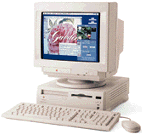 |
My second computer at home was a a version of the
Performa - I don't know which one. It had a DVD / CD
Rom player and I think it still had a disc drive. What
CLUNKER. The day after my AppleCare expired, the hard
drive failed. I was glad Apple agreed to honor
AppleCare, but nothing on the hard drive could be
recovered, and I lost most everything I'd ever had on
a computer. And that might not sound like much, but
there were some essays and old emails from when I
first got online that I still get upset about not
having anymore - my writing is very important to me. I
barely had it five years. What a piece of crap. It was
so bad that I didn't buy any Apple stock, at a time in
my life when I actually could have afforded some,
because I thought the company might go under. |
|
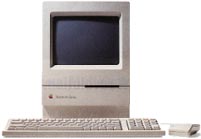 |
My first computer at home was a Mac Classic II.
When I bought it, it came with an external dial up
modem and an America Online disc. I had used IBM
clones at newspaper offices where I worked in the
1980s and at nonprofits I had worked in the 1980s as
well, but starting in the 1990s, I had used a Mac a
few times at various jobs, and immediately fallen in
love with it - something I had never done with a
computer before that (hence why I had never bought
one). I bought my first Apple from CompuUSA. I used it
to read and send my first emails, tour and post to
various AOL communities (Star Wars and the Ronald
Colman communities were my favorite), play Tetris and
to navigate USENET. When I got it, I'd never heard of
the World Wide Web - that wasn't really a thing yet.
Once the web became so dominate, I replaced it when I
realized it couldn't really surf the web well. I wish
so much that I'd kept it, just for nostalgia. |
|
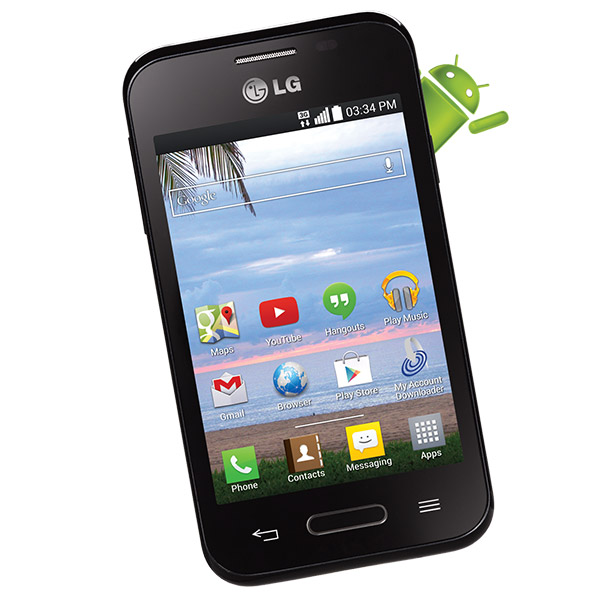 |
My former phone: LG Optimus Fuel™ running Android™ 4.4, via
Tracfone.
$80. I began using this in December 2014. As of February 2017, it's not my Tracfone phone, nor my main phone, anymore, but I could have used it for another year if I didn't want to use so many apps. When it was my main phone, I used GoogleVoice, Skype, What'sApp, Twitter, Flickr (to upload photos), Instagram, GoogleNews and Chromecast - and I've kept all these on this phone as a backup. I also had HotSpot Shield on it. I also used it to take photos and short videos when I didn't have my camera and to share such via Twitter and/or my Flickr account or Instagram or YouTube - I may have uploaded directly from my phone if I had a great Internet connection or I'd put it on my computer and upload from there. I listened to music and podcasts, which I downloaded via my computer and then put on the phone, while riding buses to or from Portland. Other apps I used on this phone: Google Calendar (I live and die by it), GoogleMaps, EverNote, Clue, some mass transit apps and webmail apps. I used Facebook on it only when I didn't have my laptop - and eventually had to get rid of it because it's such a memory hog. You absolutely MUST add a 32 GB card, and you MUST put all you can on that card (photos, music, any apps you can, etc.) rather than the phone's internal memory if you want to do all that I did with this phone. Do NOT put Facebook messenger on this phone unless you don't use that many other apps at all on this phone. Other downsides (1) I couldn't download all of the apps I wanted to on this phone - there's just not enough room, even with the added 32GB card. (2) Often enough that it was annoying, I couldn't get phone service (hence why I rely so much on texting via the Internet); Tracfone sometimes won't work in the middle of a CITY. (3) I eventually got rid of Facebook on the phone for the last six months I was using it because that app needed to be upgraded so often that I was maxing out the internal memory and other apps wouldn't work. Otherwise - I loved this phone and hated giving it up. I have no idea what to do with it now - I'd like to recycle it properly, but can't find out how. |
|
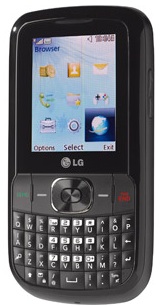 LG 500G |
My former phone: LG 500G feature phone. It
looks like a Blackberry, but isn't nearly as powerful
(or as expensive). When I'm did business away from my
home office, I usually have my travel lap top with me
(see above), which I greatly prefer using for reading
mail, writing and reading information, surfing the
web, etc., so I didn't really needed a smart phone.
This phone has a major downside: the battery life.
Yes, I've gotten a new battery - no difference. Here's
how I used my LG 500G:
What I wish I could have used it for: to listen to the local NPR radio station affiliate live. I have no idea what to do with it now - I'd like to recycle it properly, but can't find out how. |
|
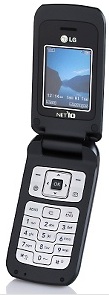 |
For two years, I had a LG 600 cell phone. It's a
feature phone with a tiny display window. I could use
it to browse the web (it's also a Tracfone) in a
pinch - for instance, when I needed to find a phone
number of something urgently. Other than as a phone, I
used it primarily for its texting abilities: I texted
updates to my
blog and to my Twitter account when I was away
from my lap top. I tried using biNu on it, but never
got it to work. I liked Opera for
feature phones more than the browser that came
with this phone, for those times when I needed to
access something off of a web site. I'd have used it
for years more if I hadn't put it in the washing
machine by mistake (believe it or not, it still works
except for having no sound whatsoever). I've no doubt
I could have done everything that I ended up doing
with the replacement phone that I did with this phone.
I have no idea what to do with it now - I'd like to
recycle it properly, but can't find out how. |
|
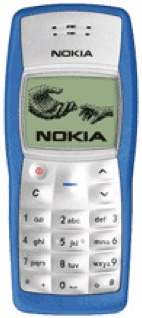 |
I still used this phone until the summer of 2016! The Nokia 1100 is the best selling mobile phone device, world wide, of all time. It can be used as a phone or to send and receive texts - that's pretty much it (it has a really cool centipede-like game on it that I still play sometimes). It's keyboard is such that sand or other dirt can't get into it easily - there's no openings inbetween the buttons at all. My husband bought this phone in 2005 in the USA, when he did a six week motorcycle tour in several Western states. When we moved to the USA in 2009, I used this as my primary phone for a year. I still used it as my almost-always at-home phone or my backup phone until summer 2016 - it rang when anyone calls my primary phone number, and I used the number on any form related to something I buy, so sales calls went here instead of to my main phone. I also still used it to receive text notifications regarding pending appointments on my Google Calendar, and to let me know when someone mentioned me on my professional Twitter account. I could also send an update to my professional Twitter account, in a pinch, via text message. Sadly, Tracfone quit supporting it. I still have it! I just can't part with it. |
Also see:
Resources
For Users of Older Computers.
You CAN get a lot out of such older computer systems -- you
can surf the Internet, send and receive e-mail, create
databases, do desktop publishing, etc. This tip sheet will
show you that a lot can be done with just a little technology,
and where to find resources for your older computer. LOTS of
links to other resources as well.
 my
home page my consulting
services & my workshops
& presentations my credentials
& expertise Affirmation that this web site is created
& managed by a human. My
book: The
Last Virtual
Volunteering Guidebook contact me
or see my
scheduleFree Resources: Community Outreach, With & Without Tech Free Resources:
On
Community Engagement, Volunteering & Volunteerism Free Resources:
Technology
Tips for Non-Techies Free Resources:
Nonprofit,
NGO & other mission-based management resources Free Resources:
Web
Development, Maintenance, Marketing for non-Web designers Free Resources:
Corporate
philanthropy / social responsibility programs Free Resources:
For people
& groups that want to volunteer linking to or
from my web site The
Coyote Helps Foundation
my
home page my consulting
services & my workshops
& presentations my credentials
& expertise Affirmation that this web site is created
& managed by a human. My
book: The
Last Virtual
Volunteering Guidebook contact me
or see my
scheduleFree Resources: Community Outreach, With & Without Tech Free Resources:
On
Community Engagement, Volunteering & Volunteerism Free Resources:
Technology
Tips for Non-Techies Free Resources:
Nonprofit,
NGO & other mission-based management resources Free Resources:
Web
Development, Maintenance, Marketing for non-Web designers Free Resources:
Corporate
philanthropy / social responsibility programs Free Resources:
For people
& groups that want to volunteer linking to or
from my web site The
Coyote Helps Foundation me on
social media (follow me, like me, put me in a circle,
subscribe to my newsletter)
me on
social media (follow me, like me, put me in a circle,
subscribe to my newsletter) how to
support my work
how to
support my workTo know when I have developed a new resource related to the
above subjects, found a great resource by someone else, published
new blog,
uploaded a
new video,
or to when & where I'm training or presenting, use any of
the following social media apps to follow me on any of these
social media platforms:


Disclaimer: No guarantee of accuracy or
suitability is made by the poster/distributor of the materials
on this web site.
The information provided on this website is for general
informational purposes only and should not be considered legal
advice.
I am not a lawyer. I am not a legal professional. Do any
information on this site as legal counsel.
I am not responsible for any losses, damages, or liabilities
that may result from the use of this website or reliance on its
content.
Your use of this website and its information is at your own
discretion and risk.
This material is provided as is, with no expressed or implied
warranty or liability.
See my web site's privacy policy.
Permission is granted to copy, present and/or distribute a limited amount of material from my web site without charge if the information is kept intact and without alteration, and is credited to:

Otherwise, please contact me for permission to reprint, present or distribute these materials (for instance, in a class or book or online event for which you intend to charge).
The art work and material on this site was created and is copyrighted 1996-2026